
Glossary tab doesn't display and Glossary pop ups don't work
TCS 3.5 (FrameMaker 10, RoboHelp HTML, version 9)
Windows XP version 5.1 sp3
Internet Explorer 8.0
My apologizes if this should be in a different forum. Also, from searching I have found that the problem is usually that the DLL has not been loaded -- I have done that. So I am at a loss. Thanks in advance for your help!
Problem: My .chm output does not have a Glossary tab and the Glossary text pop-ups in my topics do not work.
Background: Since I am new to TCS 3.5 I'm going to give my entire process. Quite frankly I'm not even sure if my entire process is correct.
Steps:
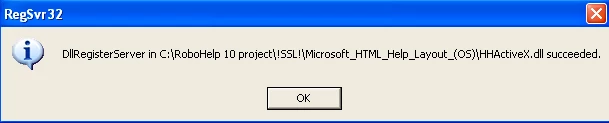
Before I began: I loaded the HHActiveX.dll. Here's the proof:
- Create a blank project.
- Import master page (File > Import > Master Page).
- Load project settings (File > Project Settings > Import).
- Link FrameMaker Book (File > Link > FrameMaker Document)
- Configure Properties (Right-click the book file in RH and click Properties).
- In Properties, select Convert FrameMaker Table of Contents and give a name.
- In Properties, select Convert Glossary and give a name.
- In Project Manager pod, right-click the Glossary topic (System Management GLO) and click Set as Default.
- Update Project (File > Update > Update All).
- Run Glossary Hotspot Wizard (when running wizard, select the glossary topic that was set as default in step 😎
- Edit the UpdateMarkedGlossaryTerms.jsx script (change the GlossaryName variable to the Glossary topic created in step 8 and change the GlossaryStyle variable to TextPopUp)
- Run Update Marked Glossary Terms script (In Script Explorer pod, right-click the UpdateMarkedGlossaryTerms.jsx script and click Run).
- Run graphicinreferencepages.jsx script (this inserts my note graphics from FM reference pages)
- Configure Microsoft HTML Help layout. Here's the properties file:
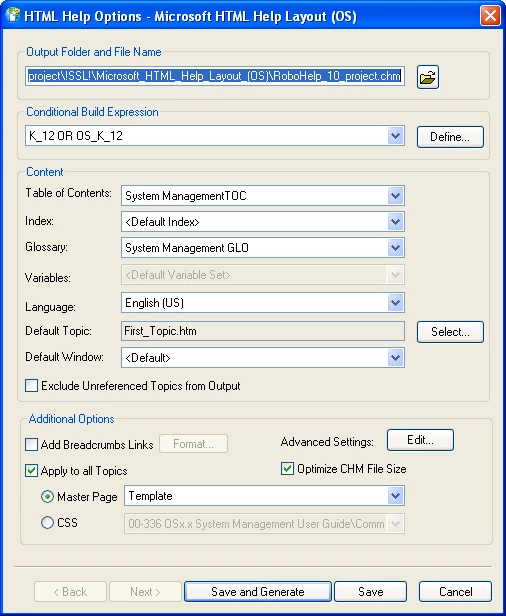
16. In the properties file I selected the Glossary topic that I had set as my default in step 8.
17. Click Save and generate.
Result: In the .chm file (and in View Selected Item in RH) when I click a glossary term in a topic, I get "This program cannot display the webpage". Also, the Glossary tab is not displayed.


 AdChoices