


Inspiring
March 31, 2022
Answered

Header Links Limitation in Frameless: URL only works on same level

  • March 31, 2022
  • 7 replies
  • 426 views

In case I'm totally missing something, when you have a frameless output and you have what Adobe calls Header links (Features, About, Feedback, by default). I was having problems making these work and wondered if you needed some special type of URL for it. It just sticks the URL you enter (for example About.htm) on the end of the current URL you are in... and if you are in a folder, where this page isn't stored, then, you get page not found.

I thought maybe I'm doign something wrong but I just got a new copy of the Compass Travel sample project and built it without any modification to the Studio Frameless and the same thing happens:
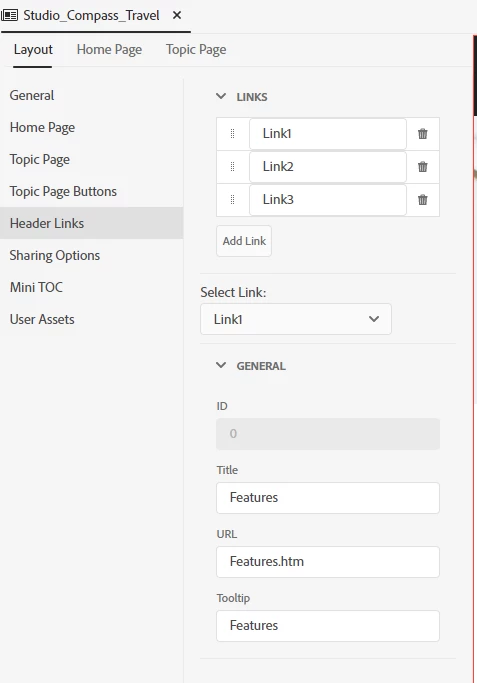
Features for example:

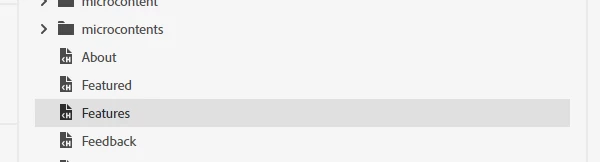
Points to a topic on the "top level":
 

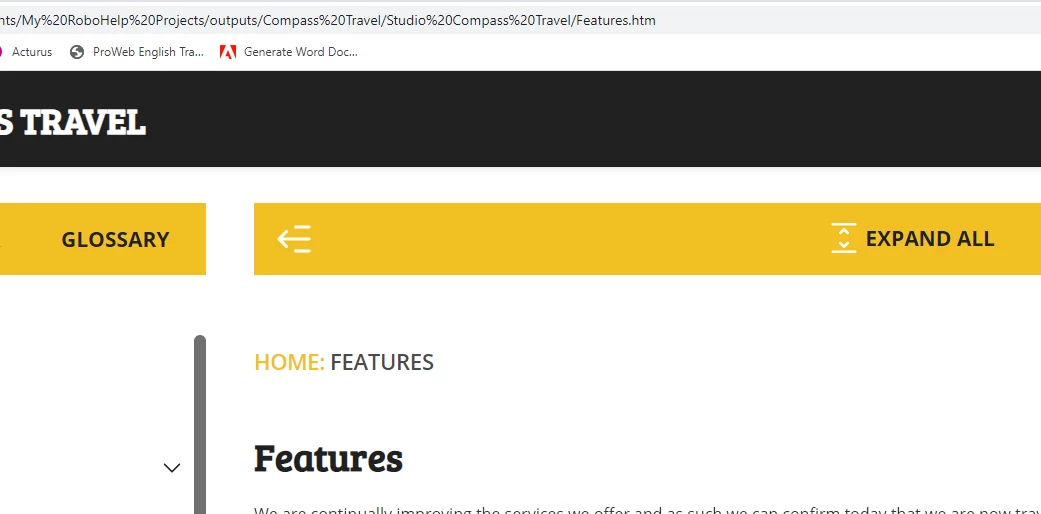
when you build, if you are in another page on the top level, this works:
 

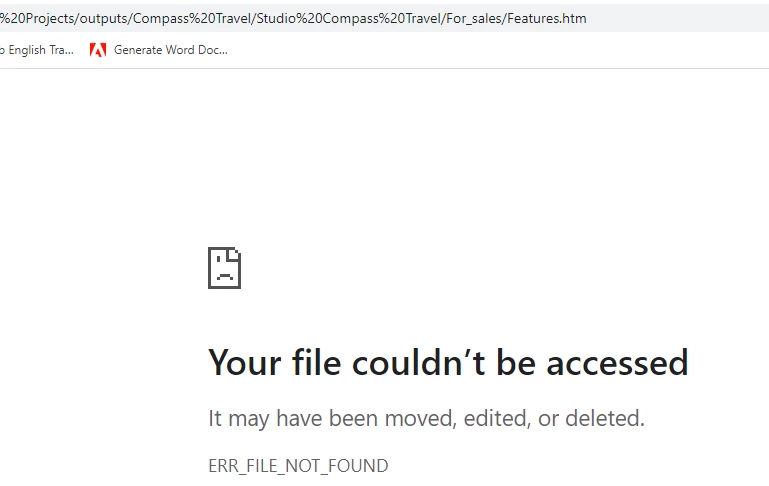
But if you are not, and you're in a folder, it doesn't because it just sticks the URL on the end of the current folder:
This seems like a big flaw to me that is probably already known. I couldn't find any other subjects on it. Any way of getting this to work? 

Thanks



    This topic has been closed for replies.
    Correct answer Peter Grainge

    It's already created. 🙂


    RH-10539 | Tracker (adobe.com)

    ________________________________________________________

    My site www.grainge.org includes many free Authoring and RoboHelp resources that may be of help.


    7 replies

    Community Expert
    April 3, 2022

    The header link points to, for example "Features.htm". (Studio_Compass_Travel skin) If you navigate to one of the e-learning topics, for example, which isn't in the root of the project., you get a "file couldn't be found" error.

    Peter Grainge
    Community Expert
    Community Expert
    April 1, 2022

    Exactly what is not working in the samples as supplied? Everything should work there.

    ________________________________________________________

    My site www.grainge.org includes many free Authoring and RoboHelp resources that may be of help.


    Use the menu (bottom right) to mark the Best Answer or Highlight particularly useful replies. Found the answer elsewhere? Share it here.
    jane_robsAuthor
    Inspiring
    April 4, 2022

    Exactly what Amebr says: If you have a relative URL, that relative URL like Features.htm in the sample project only works on one level. As soon as you have other levels of books, logically as a topic in your Book has a URL = PROJECT/BOOK NAME/file.... the relative path "Features.htm" makes a URL PROJECT/BOOK NAME/Features.htm and therefore cannot find it because Features.htm is at PROJECT/Features.htm.

    So the limitation is that you should be able to point to a file and it works out the relative URL once built... otherwise, it can't work with a relative URL. 

    In my case, I can use an absolute path, so, issue is solved for me... but it's true that this causes problems for systems that would be delivered to customer servers where you can't predict an absolute path.

    The other solution is redirect I did this and it worked:

    Features.htm

    Index.htm

    Book 1/ topic1.htm

    Book 1/topic 2.htm

    Book 1/Features.htm (empty redirect to ../Features.htm)

    Book 2/topic3.htm

    Book 2/Features.htm (empty redirect to ../Features.htm)


    but those empty redirect htms would need to be added in all levels of books and after build. So, it's a faff.

    Community Expert
    April 4, 2022

    And not mentioned as a requirement in the help, either. 🙂

    Peter Grainge
    Community Expert
    Community Expert
    April 1, 2022

    A redirect needs a URL and that can be either absolute or relative.


    If the help is only on your own server, you can fix it in the source. Work out the absolute path when the help is on the server and enter that. The server name should be used rather than any drive letter you see on your machine. That might not be the same for others. IT should be able to help on that.

    ________________________________________________________

    My site www.grainge.org includes many free Authoring and RoboHelp resources that may be of help.


    Use the menu (bottom right) to mark the Best Answer or Highlight particularly useful replies. Found the answer elsewhere? Share it here.
    Peter Grainge
    Community Expert
    Community Expert
    April 1, 2022

    Is this help installed on your server or on customers' servers?


    Thinking some more you might need an absolute path. To answer you properly I would need to set up a test and I'm not able to do that right now.


    Hopefully this is on your server when the solution will be easier. Let us know.

    ________________________________________________________

    My site www.grainge.org includes many free Authoring and RoboHelp resources that may be of help.


    Use the menu (bottom right) to mark the Best Answer or Highlight particularly useful replies. Found the answer elsewhere? Share it here.
    jane_robsAuthor
    Inspiring
    April 1, 2022

    Currently I have it just as a starter so only in my file structure. on C drive... The final project will be published only internally.  Do absolute paths work in that field? if so, I can easily just have it read what the absolute path would be once it's up... that would certainly be no problem. I will test absolute path now.

    Peter Grainge
    Community Expert
    Community Expert
    April 1, 2022

    It's a pain but the link will work if you enter a relative path URL.

    ________________________________________________________

    My site www.grainge.org includes many free Authoring and RoboHelp resources that may be of help.


    Use the menu (bottom right) to mark the Best Answer or Highlight particularly useful replies. Found the answer elsewhere? Share it here.
    jane_robsAuthor
    Inspiring
    April 1, 2022

    How do you enter a relative path in this case? This is what I meant about me maybe missing something. The relativity is different whether you are on a Topic page within a book or in a page at root say with the following:

    Index.htm

    Features.htm

    About.htm

    Book 1

    > topic1.htm

    Book 2

    > topic2.htm

    If I want the header link to point to features.htm, it does so from About.htm with just Features.htm

    if I want to point to it from topic1.htm, I need the link to go up one folder and then point to Features.htm.

    For this case therefore it's different to About.htm as it's ../Features.htm.

    I tried this:

    And so if I'm in a topic one folder down from the "root" where Features.htm is... it's all good because it works to take the folder away:

    >>>>>

    That's all good... but now, if I am in "Our destinations", which isn't in a folder, so it's on the same level at Features.htm and I click features:

    >>>>> the relative path is going to take a folder off and land outside of the project folder a folder up from the "root" where the index is:

    And what if you have more than one level of folder within books?


    I don't know much about relative paths, but the relative path is going to be different if you have different book levels and, therefore, only work in one instance... is there a way to write the relative path to be variable that I am completely unaware of?


    jane_robsAuthor
    Inspiring
    April 1, 2022

    I have learned about redirects... so I can build a redirect into each Folder for Books.... It's a bit of a faff! but at least it works. Still, something to do after every build to make it work properly....

    Peter Grainge
    Community Expert
    Peter GraingeCommunity ExpertCorrect answer
    Community Expert
    April 1, 2022

    It's already created. 🙂


    RH-10539 | Tracker (adobe.com)

    ________________________________________________________

    My site www.grainge.org includes many free Authoring and RoboHelp resources that may be of help.


    Use the menu (bottom right) to mark the Best Answer or Highlight particularly useful replies. Found the answer elsewhere? Share it here.
    Community Expert
    March 31, 2022

    The help just says to set the Title, URL and Tooltip.

    https://helpx.adobe.com/in/robohelp/using/frameless-skin-editor.html


    As it's not working in a provided sample project, I suspect it is a bug. You can either contact support or raise a bug item, I think.


    See the following page for support contact options. The email option is recommended as it goes to a dedicated Robohelp team.
    https://helpx.adobe.com/contact/enterprise-support.other.html#robohelp


    You can request features and report issues here: https://tracker.adobe.com/
    Post the item number in the discussion so people can easily vote if they want the same functionality.