
Help with new Table Style formatting??
I am having all kinds of problems using the new table style formatter. I am not a RoboHelpHTML 8 expert (I did better with version 5). I am trying to create a table with 3 columns, the first of which is left-justified, the last 2 are centered. The header (row 1) is bolded and centered. Also I want all the lines the same thickness. I created the table using the standard SimpleGridBlack...  There actually is a line across the top... don't know what happened to it. Next I ran WebHelp and the picture there looked identical to one here. Then I duplicated the SimpleGridBlack and applied the new style to this table. Next I started making changes to the new style. I selected the First Row and made all columns centered and bolded.
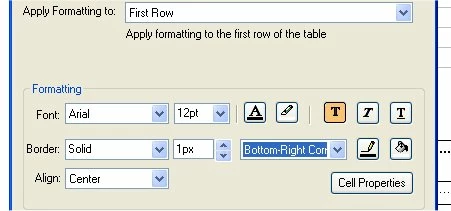 Since I want columns 2 and 3 to be centered, I next selected even columns for changing.
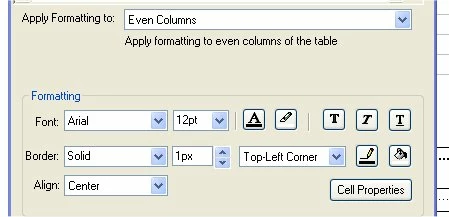 This took care of column 2. Then I selected the last column for change.
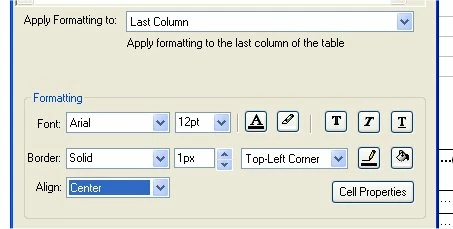 This took care of column 3. However, the results were not what I expected.
 The upload does not quite show the picture correctly. The line under the "gg" is actually there and the lines separating columns 1-2 and 2-3 in row one are actually there.
 However, the first line of column 3 is not centered and lines A-B-C, D-E-F, A-D-G, and B-E-H are thicker than the other lines.
I certainly hope someone can help. It has taken 2 days and getting a web site unblocked for my use to get to the point that I am at now. This is a document that I have to get out this week and I have a lot of tables to change. Thank you for any help.
Virginia


 AdChoices