


Sleant
Inspiring
June 24, 2021
Question

Hide TOC by Default for HTML5 Output

  • June 24, 2021
  • 2 replies
  • 267 views

I am so sorry if this is obvious. Using RH 2019, I can't seem to publish to HTML5 with "no TOC". I don't want the TOC at all because I only have 1 topic I want to show. In my Azure Blue skin screenshot below, I don't have the TOC on, but it still publishes the TOC. Please help.
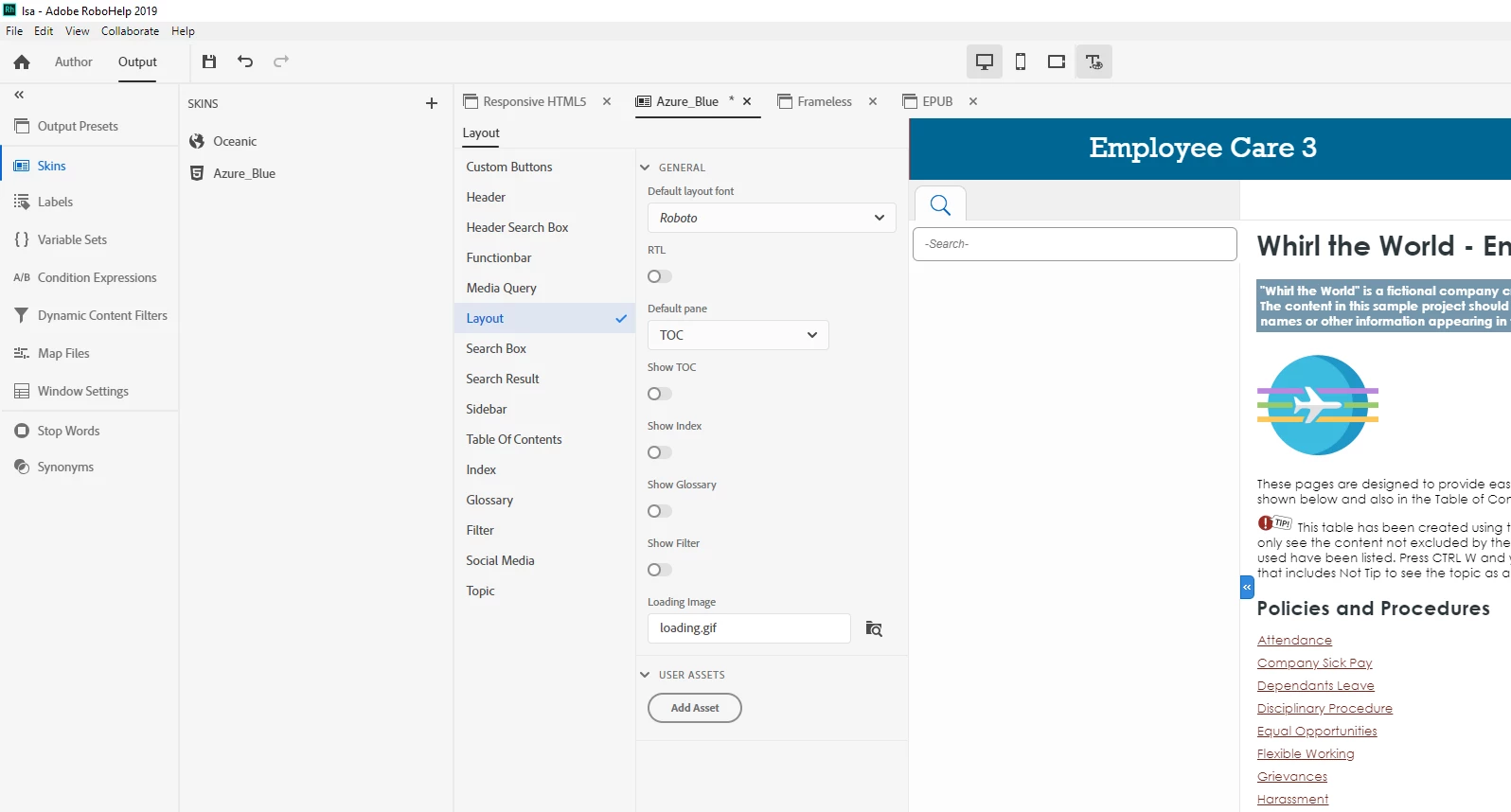
This topic has been closed for replies.

2 replies

Community Expert
June 24, 2021

You could replace the relevant open and close icons with 1 pixel transparent images. Theoretically people would be able to click on it still but it'd be fairly unlikely.


Otherwise you need to use the browser developer tools to inspect the output and find the style relevant to the clickable area. Then add that style to a custom css with the property "display:  none" added. Finally, add that css in your skin under Layout > User Assets.

Sleant
SleantAuthor
Inspiring
June 25, 2021

I love how you respond to every post in RH. You are so amazing. Thank you so much for sharing that idea. As soon as I can (probably next week) try it, I'll let you know. Thank you so much.

Sleant
SleantAuthor
Inspiring
June 24, 2021

Sorry, I just found it. It's the sidebar in the skin. However, how do I remove the expand/collapse button completely? Thank you.