
December 1, 2014
Question

How can I improve ability to search glossary?

  • December 1, 2014
  • 1 reply
  • 305 views

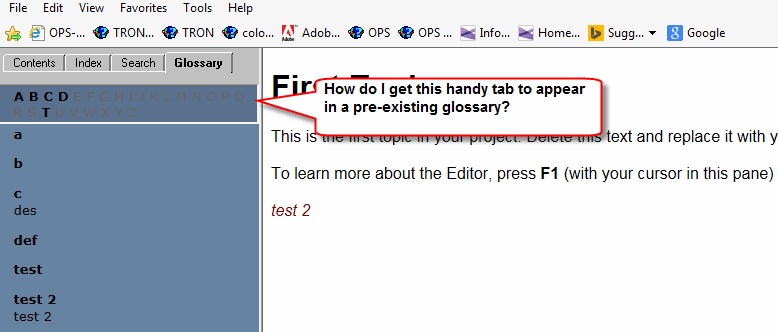
RH 9, WebHelp output. I have a pre-existing project with a pretty extensive glossary, and users have asked if it's possible to add a search field. That does not seem possible (although I can think of some creative solutions to help). However, when I went through an old test project and ran the output (same version and WH output), I saw a handy alphabetical link that could help my users. But I can't get this handy field to appear in my existing project's output. Any advice? I am using a custom skin.

I tried hotspotting a few terms in the project but the handy set of links, tab, whatever you want to call it, will not display.
I

This topic has been closed for replies.

1 reply

Captiv8r
Legend
December 1, 2014

Hi there

That type of Glossary will appear if you choose to enable Section 508 output or if you choose "Pure HTML" as opposed to the DHTML option for the ouput.

Cheers... Rick

December 1, 2014

All very cool and groovy, but I lose my search field when I apply that option. Any way I can keep it?

Captiv8r
Legend
December 1, 2014

Sorry, but life is full of trade offs! Sometimes we simply can't have everything.

You might consider just ignoring the built in RoboHelp glossary and simply creating a topic you then add terms and definitions to. When you do that, many possibilities open up. Formatting the entries. Including images. Adding links to other information.

If you took that approach you would have either a toolbar button to open the topic or a TOC entry.

Cheers... Rick