
Inspiring
September 14, 2015
Question

How can I install just SQLServer Compat 3.5 SP2 for RoboHelp 11?

  • September 14, 2015
  • 2 replies
  • 1646 views

My team plans to use SharePoint for version control. So when I follow the instructions and select Add to Version Control in a RoboHelp 11 project, and then select the RoboHelp SharePoint Connector, I get the following:
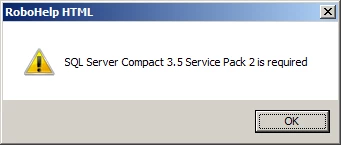
But the instructions say the RoboHelp installer automatically installs this. We installed RoboHelp 11 as part of TCS 5 so I don't know if that's the issue. But in any case, I need to get this component installed.

    This topic has been closed for replies.

    2 replies

    Inspiring
    September 17, 2015

    Here is the download page;  Download Microsoft SQL Server Compact 3.5 Service Pack 2 for Windows Desktop from Official Microsoft Download Center. A point to remember is that if your computer is 64bit, which can be determined from System Properties, then you must install both the 32-bit version of the software and the 64-bit version.  The Install.txt file in the extracted download provides this explanation, but essentially you would want to run the x86 version first then the x64 version.  This is only if your computer is a 64-bit machine.  If it is 32-bit then you will want to run only the x86 installation file. 

    Atul_Saini
    Community Manager
    Community Manager
    September 14, 2015

    Moving the discussion to RoboHelp