


Answered
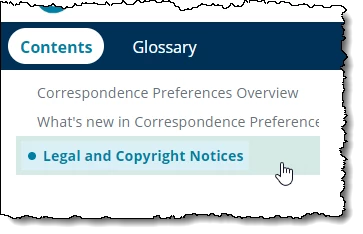
How do I change the color of selected topic in TOC?
I am modifying the Oceanic skin to match our corporate branding. I cannot find a way in the UI to change the color of the selected topic in the Table of Contents. I have changed the hover color. I need the selected topic color to match the hover color. I have found the field in the layoutDiff.css file, but I cannot change it here since they configured the system to now overwrite manual changes made to the layoutDiff.css file whenever you make changes in the UI. I am creating the new template skin for other users who may need to make modifications to the skin for their individual projects.
 AdChoices