

Question
How do I change this color style?
Hello-
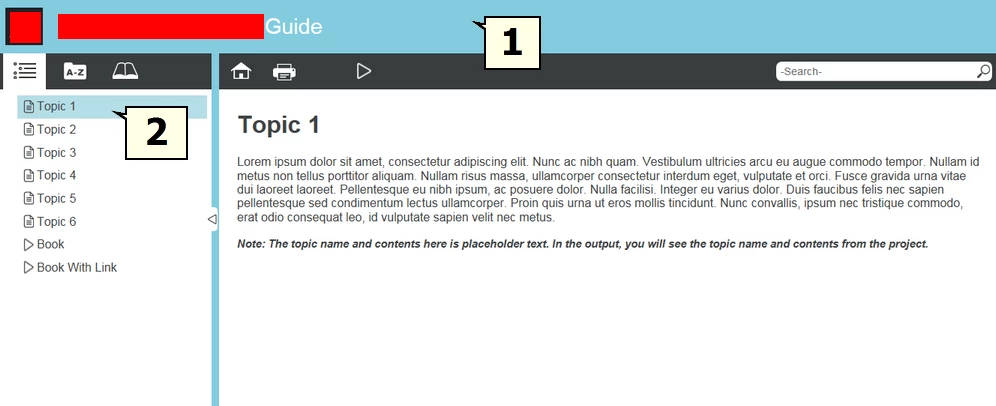
I am currently creating a Responsive HTML user guide for my company's software product and I cannot figure out how to change the default color of light blue displayed in the generated help to my company's colors. Specifically, I wish to change the color of the title bar (#1 in the image) and the shadow of the selected topic (#2 in the image) to other colors.
I'm sure this should be an easy fix, but I cannot figure it out in spite of my efforts.
Can you help me, please?
I'm using RoboHelp 11.
Thank you-
Michael


 AdChoices