roryj86911642
Inspiring
April 1, 2019
Answered

How do I generate a mobile app successfully?

  • April 1, 2019
  • 3 replies
  • 1870 views

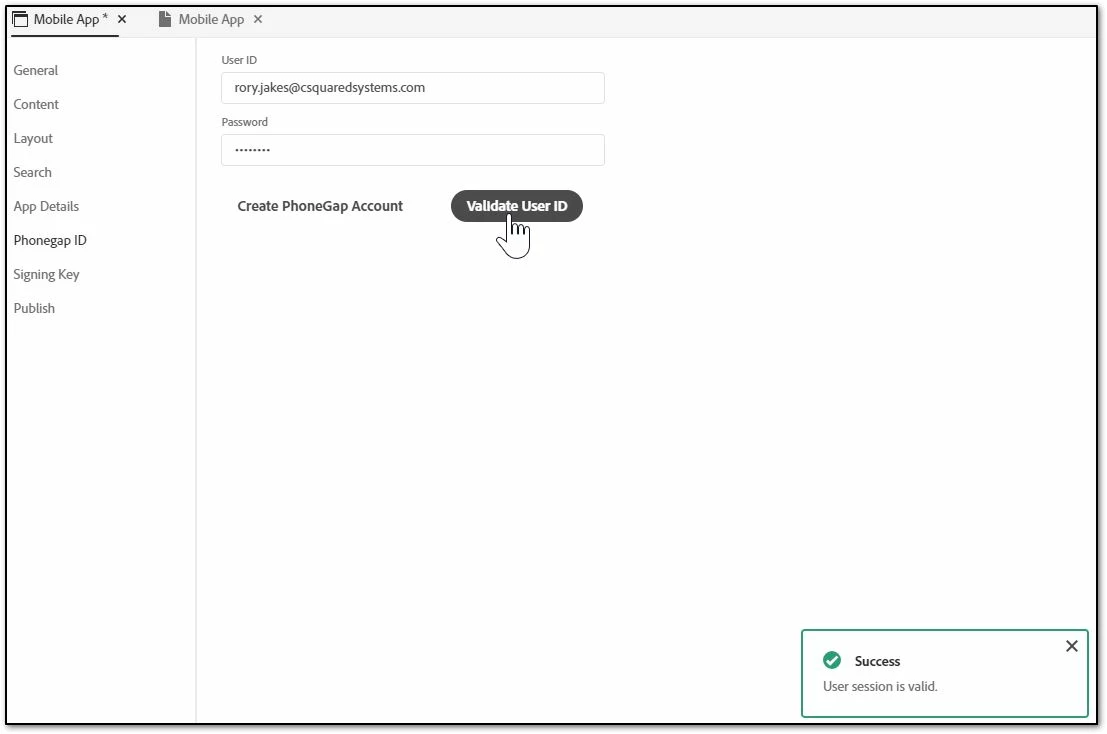
How do I generate a mobile app successfully using the Mobile App output preset in RoboHelp? I am using RoboHelp 2019 ver. 2019.0.5. I have a PhoneGap account set up and am successfully validating user ID (below).
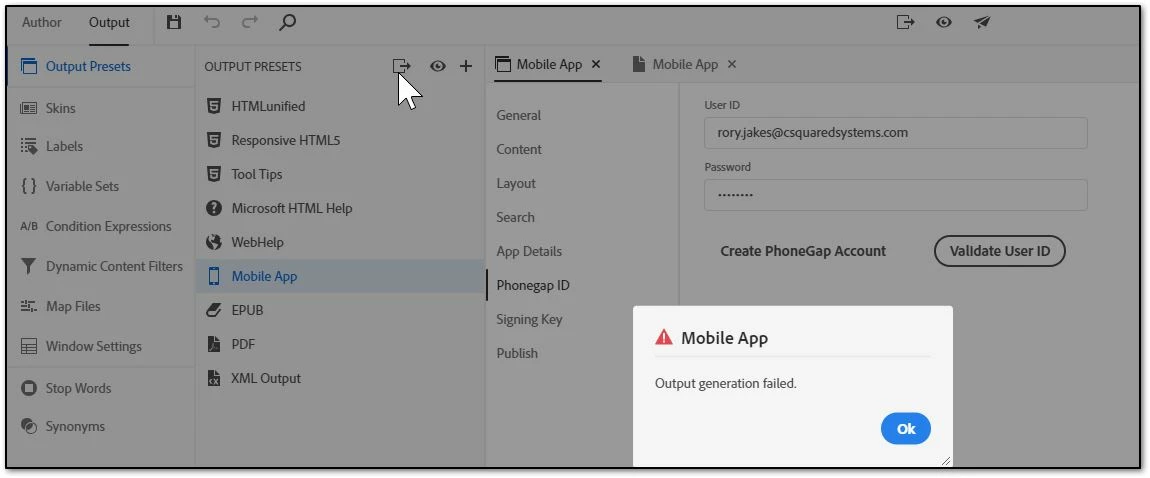
When I try to generate the Mobile App preset I get an Output generation failed error message as follows:
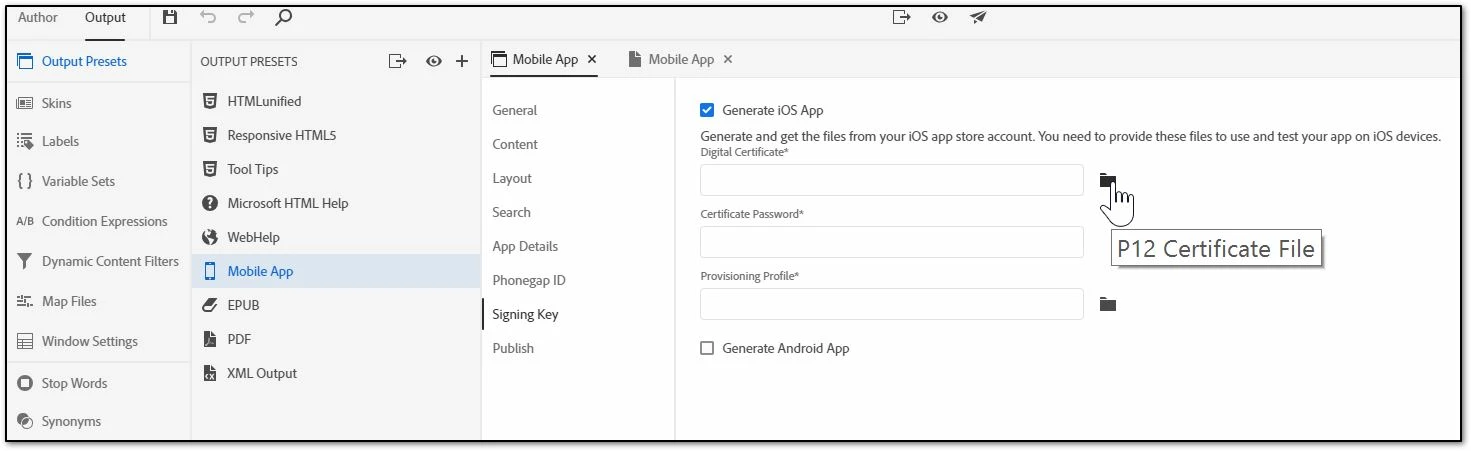
My problem may be lack of a P12 certificate file and the mobile provision file (below). I don't have a developers account with apple to obtain certification keys, so don't know if this is possible. Am asking the question.

This topic has been closed for replies.
Correct answer Peter Grainge

Peter,

Still can't generate a mobile app. I went to provided script in the Generate Android App. I placed the AndroidKeyGenerator.jsx in the path name.

Don't know about the passwords. I haven't generated anything to create a password.

I know I am doing something wrong here. Actually wanted to generate a mobile app for an apple iPhone.


You don't need the key for Android. That's only required for upload to the

Play store. Just tick the Android check box and leave the fields empty.

For iOS you do need to be registered. The stuff on my site covers that

Peter Grainge

www.grainge.org

@petergrainge

3 replies

Peter Grainge
Community Expert
Community Expert
January 20, 2022

If you get it working, do come back with instructions

________________________________________________________
My site www.grainge.org includes many free Authoring and RoboHelp resources that may be of help.

Use the menu (bottom right) to mark the Best Answer or Highlight particularly useful replies. Found the answer elsewhere? Share it here.
Community Expert
January 19, 2022

My understanding is phonegap is no more and the steps for setting up mobile app output is much more complicated. Apparently there is a link in the preset that should provide details? Otherwise see if the information and links in this thread help
https://community.adobe.com/t5/robohelp-discussions/how-to-generate-a-native-app-from-robohelp-2020-now-phonegap-no-longer-exists/td-p/11454800


Inspiring
January 20, 2022

Thanks @Peter Grainge and @Amebr 

Amebr, I just now noticed the tiny little link in the mobile output options to this page with directions using Apache Cordova:

https://helpx.adobe.com/tech-comm-suite/kb/generate-mobile-app-output-from-framemaker-and-robohelp-cordova.html

I'll experiment with this soon.

Jeff_Coatsworth
Community Expert
Community Expert
April 1, 2019

I would have a look at how Peter Grainge goes through creating one on his site (grainge.org) - it might be old, but it's probably still mostly applicable.

Peter Grainge
Community Expert
Community Expert
April 1, 2019

What's there is still correct for Classic and 2019 is pretty much the same in this respect. You can only generate for Apple with a developer's key. It's different for Android where you can install on a device but not upload to the store.

I have tested the process for Android on 2019 and it worked fine. I'll look some more in the morning. Late here.


See www.grainge.org for free RoboHelp and Authoring information.

@petergrainge

Use the menu (bottom right) to mark the Best Answer or Highlight particularly useful replies. Found the answer elsewhere? Share it here.
Peter Grainge
Community Expert
Community Expert
April 2, 2019

If it helps, I am finding the same problem. I think the issue is that when you tick the Generate Android App option, the fields below are mandatory. They were not in Classic and maybe not in earlier versions of 2019.

In Classic you have to complete those fields only if you want to upload the app to the Play Store. If you didn't need that, you could create an app and install it on a device by allowing apps from unknown sources. Clearly in this case the source is known.

I have taken this up with Adobe and will post back when I have more information.


See www.grainge.org for free RoboHelp and Authoring information.

@petergrainge

Use the menu (bottom right) to mark the Best Answer or Highlight particularly useful replies. Found the answer elsewhere? Share it here.