
raylangivens
Known Participant
July 27, 2017
Question

How do I link the Home button (logo.png) to a web URL?

  • July 27, 2017
  • 2 replies
  • 1321 views

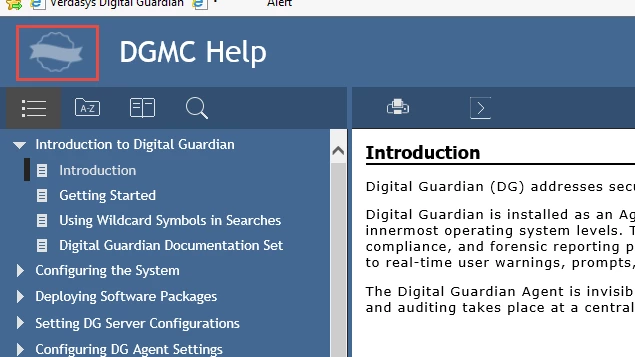
When you build Responsive HTML5, the Home button (default image is logo.png) appears to be clickable. However, I can't find any documentation on how to link the Home button to a URL. Hopefully it's easy. Can someone give me instructions? I've included an image of the output (I modified the Charcoal Gray layout a little) with the Home button (logo in red box).
This topic has been closed for replies.

2 replies

Inspiring
October 19, 2017

Did you find a solution to this question?

I was thinking either making the title link to a homepage or even an "about" box....

thanks!

raylangivens
Known Participant
October 20, 2017

No, I never got an answer. I suspect it isn't possible unless you're a programmer.

Willam van Weelden
Inspiring
October 21, 2017

Which layout are you using? This looks like the Theme3_Black from RoboHelp 11. Is that correct?

You can set the target in the .SLP files of the layout. There are 4 .slp files in this layout. You will have to edit every one of them: Glossary, Index, Table of Contents and Topic.

  1. Open the Theme3_Black folder with Windows Explorer. (In the !ScreenLayouts! folder.)
  2. Open all *.SLP files with notepad or another text editor.
    Under no circumstance open the SLP files with RoboHelp! RoboHelp doesn't understand the HTML and will break the layout completely.
  3. In the files, look for <td class="logo">. In my files, it's on line 19.

  1. Remove the Topic.slp from the href attribute. Add your own URL there. You can also add target="_blank" to open the link in a different browser tab:

Jeff_Coatsworth
Community Expert
Community Expert
July 27, 2017

Doesn't it use JavaScript to snap you back to your default topic? That might give you a lead on finding the reference if you want to hijack it to go to some URL...

raylangivens
Known Participant
July 27, 2017

If you click another topic in the help and then click the Home button, the default topic opens. If you say it uses JavaScript, I believe you. But I still don't know how to hijack the Home button. Could you please tell me what JavaScript file I should be looking at to find the reference and what code to add?

Jeff_Coatsworth
Community Expert
Community Expert
July 27, 2017

Sorry, no idea - got any developers kicking around that could help you out? If you find an answer, post back please ;>)