
How Do I Use a SINGLE Custom CSS for My Project?
How do I set a single CSS for a project?
Currently, I have linked (I checked, they are actually linked) FM files. The project is Responsive HTML 5 Single Source Layout. It is set up this way:
Project Files
Each FM file has a folder that contains a CSS, an FPJ, any baggage (PNG, for example) and an HTM.
So, for my project, I have 31 such folders.
Above them is RHStyleMapping.css.
That's it
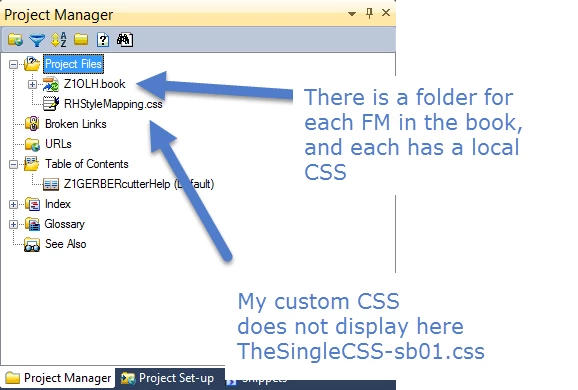
To map my project to a custom CSS, I did this:
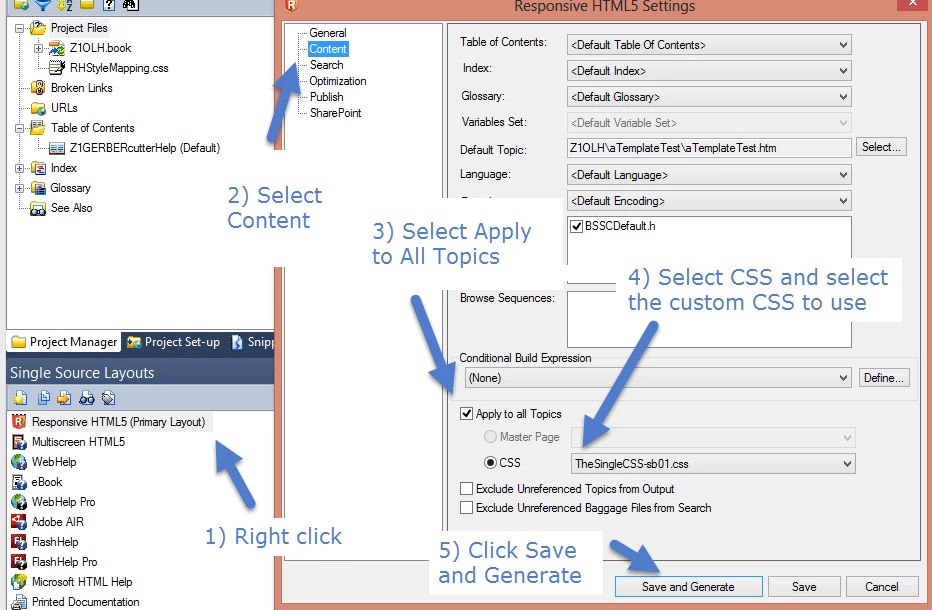
1) Created the custom CSS (let's call it TheSingleCSS-sb01.css) and put it in the same location as RHStyleMapping.css.
2) Right-clicked Responsive HTML5 (Primary Layout) in the Single Source Layouts pane.
3) Selected Properties. The Responsive HTML5 Properties dialog box opens.
4) Click Content, select the Apply to all Topics check box, select CSS, and choose my CSS, TheSingleCSS-sb01.css.
5) Click Save and Generate. Generating happens.
6) When prompted, click View Result.
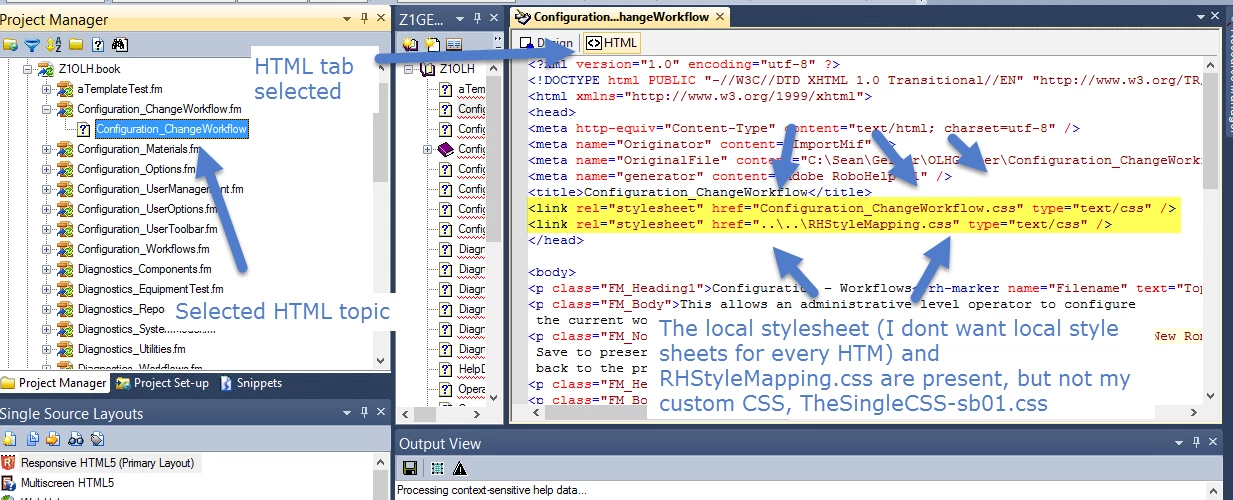
7) Double-click one of the resulting topics, and choose the HTML tab.
😎 Notice the following CSS files are referenced, NOT the one I want:
<link rel="stylesheet" href="Configuration_ChangeWorkflow.css" type="text/css" />
<link rel="stylesheet" href="..\..\RHStyleMapping.css" type="text/css" />
<image>
So:
1) How can I replace 32 individual CSSes with one single custom CSS?
2) Also note that Project Manager does not display my custom CSS, even though it is in the same location as RHStyleMapping.css and referenced in the Properties dialog box.
Thanks all,
Sean


 AdChoices