


Participating Frequently
April 10, 2023
Question

How do you change the font color of the Contents sidebar menu in the Indigo template?

  • April 10, 2023
  • 3 replies
  • 346 views

Working in RoboHelp Version 2022.0.346.

In the Indigo template in the Tablet view, I have figured out how to change the background and text of all the other side menus, except for the Contents side menu.  The background is controlled by the Sidebar Background Color, but I have found no field for theText color of the Contents items tree. 
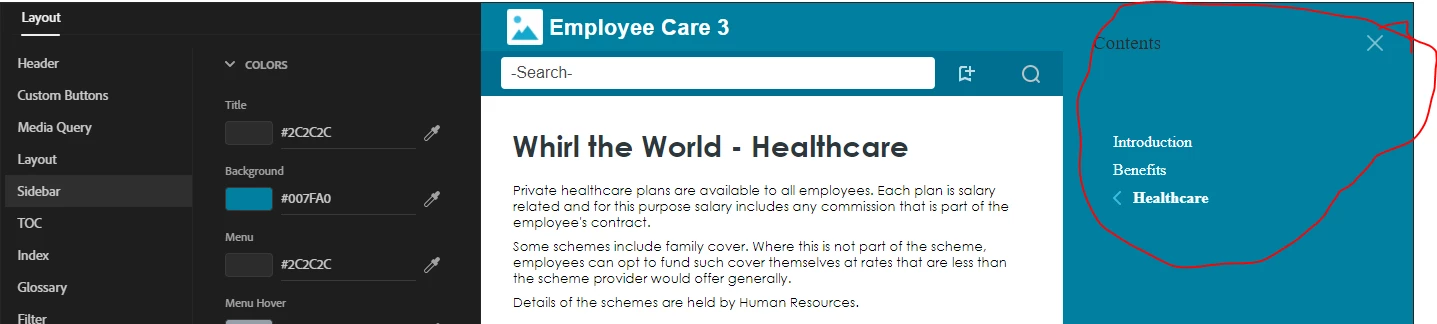
Tablet View


This text and background are different than the menu as you see it in the Desktop view.  In the Desktop view I can change the color of the the Content tree items, but not the one that is present in the Tablet view.
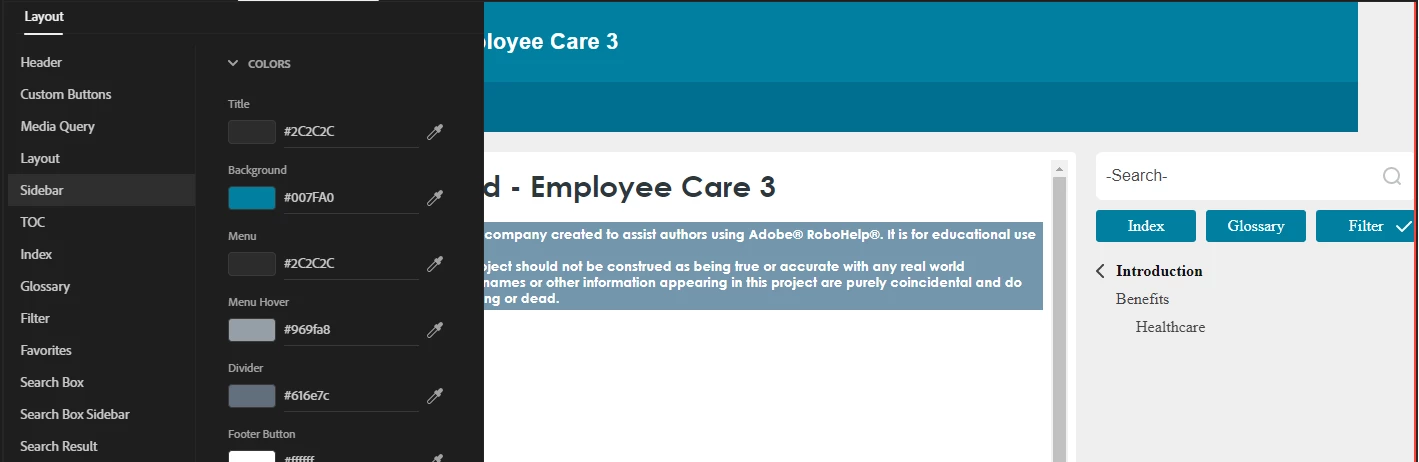
 

  Desktop View


    This topic has been closed for replies.

    3 replies

    Peter Grainge
    Community Expert
    Community Expert
    April 11, 2023

    I just spotted you are on 2022.0. That does not have the bug requiring you to download from the link below. Check for Updates on the Help menu will work for that release.

    ________________________________________________________

    My site www.grainge.org includes many free Authoring and RoboHelp resources that may be of help.


    Use menu (bottom right) to mark as Best Answer or to Highlight particularly useful replies. Found the answer elsewhere? Share it here.
    Peter Grainge
    Community Expert
    Community Expert
    April 11, 2023

    You can download Update 2 from What's new in RoboHelp (2022 release) Update 2 (adobe.com)

    ________________________________________________________

    My site www.grainge.org includes many free Authoring and RoboHelp resources that may be of help.


    Use menu (bottom right) to mark as Best Answer or to Highlight particularly useful replies. Found the answer elsewhere? Share it here.
    Community Expert
    April 11, 2023

    You'll need to look at the output code to figure out what css you need to alter, then add that css to a custom css file and add that file in the Layout > User Assets section of the skin


    By the way, the latest version of RH2022 is Update 2, but from memory you'll need to download it from the website manually. 

    Participating Frequently
    April 17, 2023

    Updated to latest version Update.

    I will give the custom css a try, but why would the Contents menu be the only menu a user cannot alter the text color in the skin editor?  All the other side menus let you customize the color of the text.

    Community Expert
    April 17, 2023

    That is one of the great unanswered questions of the universe. 😛