
Answered
How do you delete an old topic that keeps coming up in Printed Documentation output only?
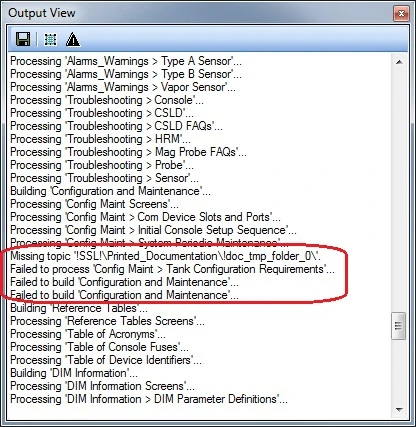
When I generate Printed Documentation from my project, I keep getting this error around this one topic that I deleted several days ago, and prevents the chapter from being created in the Word output.
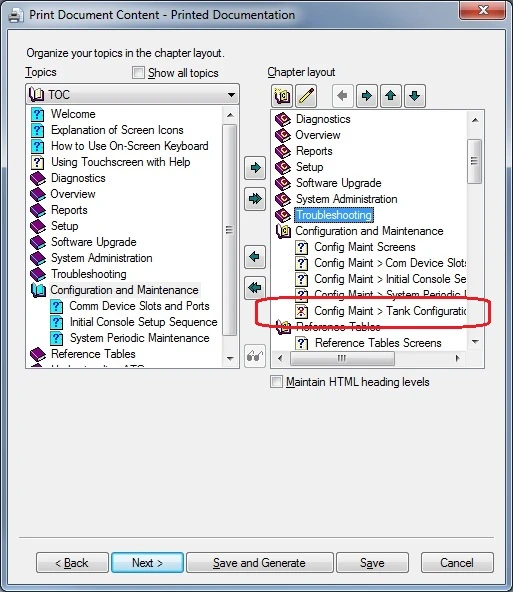
When I view the topic during the Printed Documentation setup screens, it shows up as being missing. There is no way to delete the topic while in this screen.
The topic/html file not longer exists in my project. I deleted the topic via the RH interface (as opposed to just deleting it in Windows). I have no broken links, and the WebHelp output generates fine.
Is there some RH file I can edit in Notepad that will clear out this one topic?
 AdChoices