
Participating Frequently
March 21, 2012
Answered

How do you make text static in RoboHelp?

  • March 21, 2012
  • 1 reply
  • 549 views

Hi,

I am trying to position text underneath this a banner the home page for a small help system I am working on. However, I noticed that whenever I maximize my window, the text fluctuates outside the banner width which looks funny.

I found an example to illustrate what I mean:
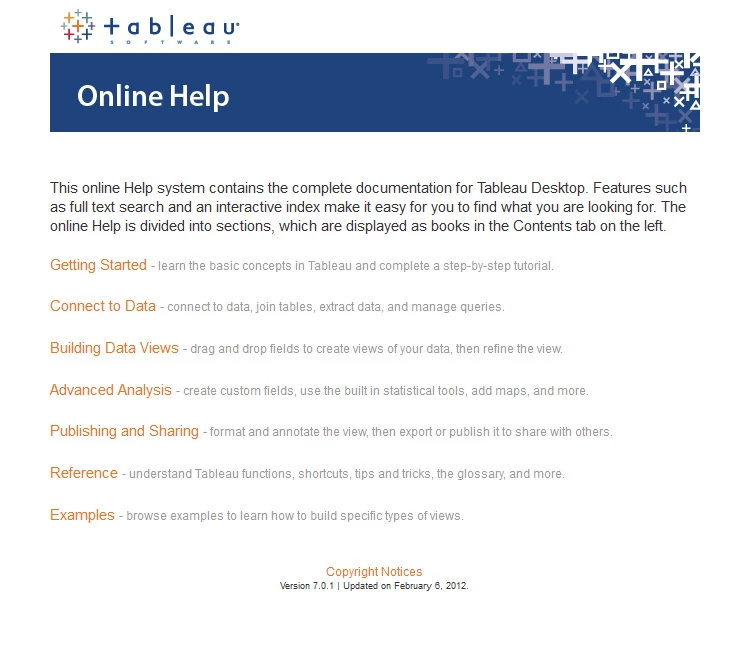
I wanted the home page similar to that but with text directly underneath the banner and its respective width as shown in the image above.

If someone has a solution to this, I would greatly appreciate it

Thank you!

    This topic has been closed for replies.
    Correct answer RoboColum_n_

    Try creating a table with one column and one row. Then add the text to it and make the table width the same as the image.

    1 reply

    RoboColum_n_
    RoboColum_n_Correct answer
    Legend
    March 21, 2012

    Try creating a table with one column and one row. Then add the text to it and make the table width the same as the image.

    Willam van Weelden
    Inspiring
    March 21, 2012

    Hi,

    A table will certainly work. You can also use CSS to control the width of the content. But you need to add this css manually:

    * { max-width: 1000px; }

    You may need to play with the style you want to apply this to, as the above sets a maximum width for all the elements on the page. Personally, I let my headers have 100% width while the text has a maximum width, for instance:

    p, div { max-width: 1000px;}

    ul, ol { max-width: 970px; /* Compensate 30px left margin */ }

    Greet,

    Willam

    Participating Frequently
    March 21, 2012

    Thanks guys,

    I tried the table method, and it worked well. I just had to remove the table borders so the text didn't have to look like it was inside a table. I would try that CSS method too, but I have no idea how to utilize CSS yet :/