
jrottgen
Participant
August 13, 2014
Question

How do you set the default font?

  • August 13, 2014
  • 2 replies
  • 1124 views

I am using RoboHelp 11. I have imported an old .HLP and I am converting to .CHM.

I am not able to edit the default, or (none) font in project settings >  CSS Styles > Edit:
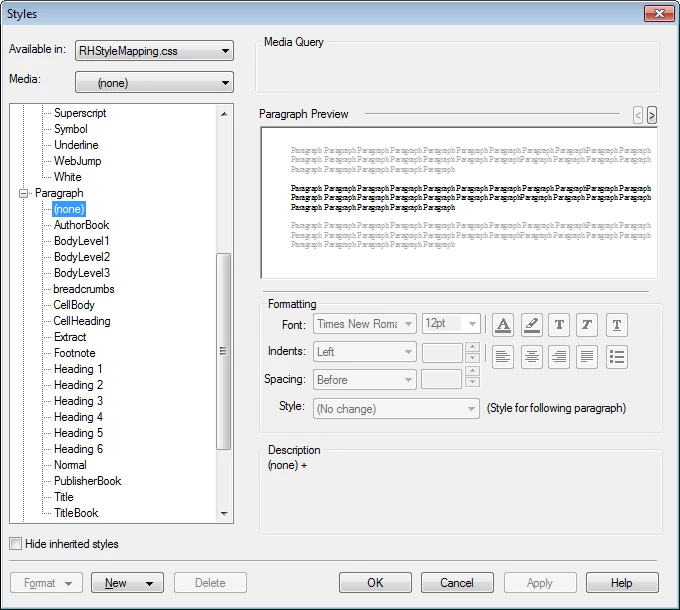
Since the Formatting section is greyed out, how can you edit this? I need to change my default font to Verdana. i don't seem to be able to edit CSS in Notepad, either.

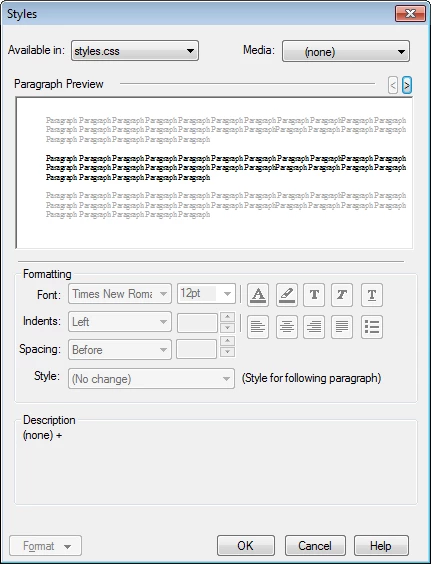
The Formatting section is also greyed out in the styles pane for (none):
Thank you

    This topic has been closed for replies.

    2 replies

    irina_z
    Participant
    April 29, 2015

    Hi!
    Here's how you can change the font family to Verdana:

    1. In Project Manager, right-click your stylesheet (default.css), then click Edit with > HTML Editor.
    2. On top of the list, you can see the body block with the font-family specified. Change the value to the font-family you need, and then save the changes (Ctrl+S).

    irina_z
    Participant
    April 29, 2015

    ..And i managed to resolve my own problem with the default font size.

    In the body block of the default.css opened in HTML Editor, just insert the following line specifying the default font size:

    font-size: XXpt;

    Captiv8r
    Legend
    August 14, 2014

    Click the Normal setting on the left side. Then you should be able to configure Verdana.

    Cheers... Rick

    jrottgen
    jrottgenAuthor
    Participant
    August 14, 2014

    Thank you Rick,

    I have the Normal style set, but all of my other topics are still in Times New Roman. Currently, the style for all of my topics is set to (none) which is defaulting to Times.

    Is there a way to batch apply the font style to all of my topics?

    Peter Grainge
    Community Expert
    Community Expert
    August 19, 2014

    Not that I can see. Changing styles can be done by Find and Replace, sometimes also using Regular Expressions. However, in this case there is nothing to Find.


    See www.grainge.org for RoboHelp and Authoring tips

    @petergrainge

    Use the menu (bottom right) to mark the Best Answer or Highlight particularly useful replies. Found the answer elsewhere? Share it here.