


How does end user clear search history from header search box?
RBH 2022 with Azure skin. Previous search history text continues to grow each time the end user enters a new search item. With thousands of pages in the help file and countless searches by an end user, I need a way to flush all previous search items from their history.
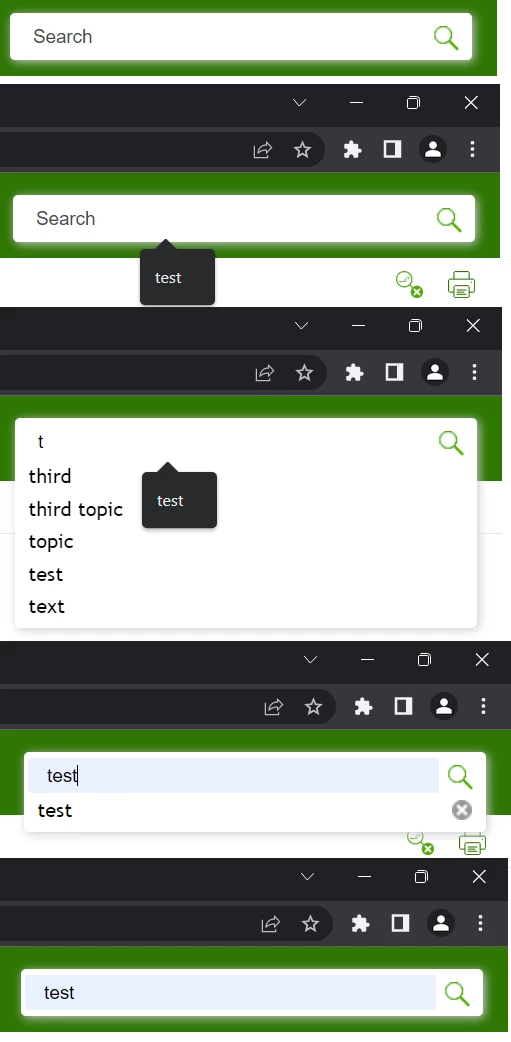
In addtion, during development a noticed that the very first test search text was "test". For some reason there is a black ballon that displays "test" that alway displays when clicking in the search box even if other items were searched for after the initial test.
At last, I cannot figure where the light blue search box highlight comes from only when the very first "test" text is selected from the search history even after other searches were made and the other searches did not display the light blue background that only appears when the initial search is selected.
An image is uploaded that demonstrates the undocumented feature:



 AdChoices