


How-To: 1 PDF-Template with different Covers / Frontpages
I was searching for a way to use only 1 PDF Template for all my manuals, instead of using a separate Template for every output due to the different covers. This way, I only have to make changes to the general layout or css once and not multiple times. It is possible to only define the look and feel (i.e. header and footer) of the front page without having to define its content as well in the PDF template. This enables you to use one PDF template for all your PDF-outputs.
Here is a short how-to, in case you also want to use my method: Please note, that this will only work if all your front matter topics except the TOC can have the same layout.
Steps:
1. Create a topic that shall be used as your front cover
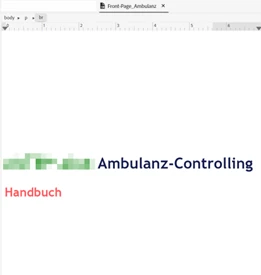
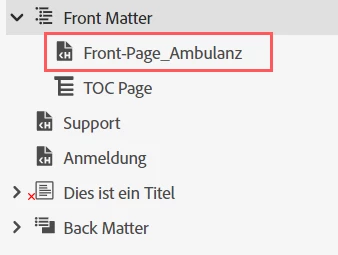
2. Insert this topic into your TOC under Front Matter Topics at the first position
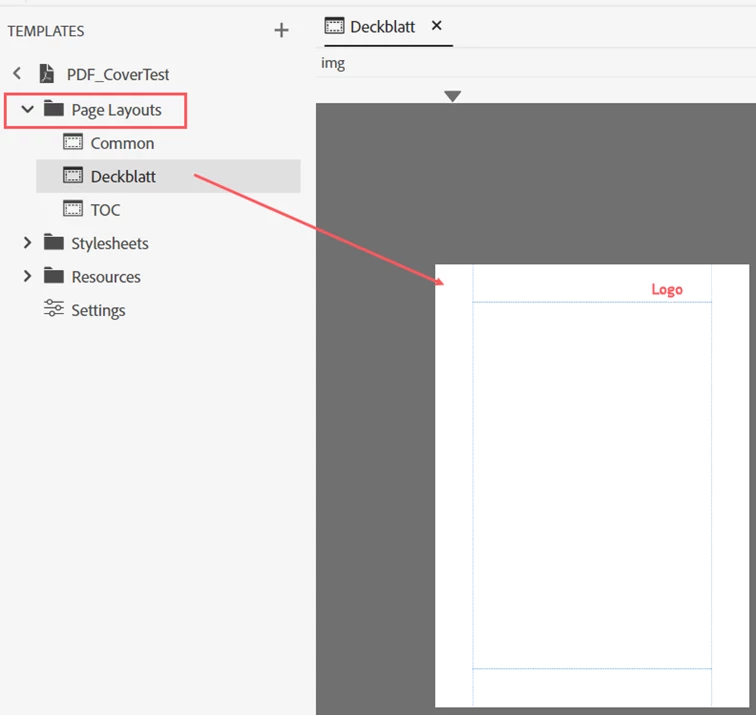
3. In the Template, define a page layout for your cover (in German: Deckblatt) and other front matter topics, containing just the desired header / footer, but not the content:
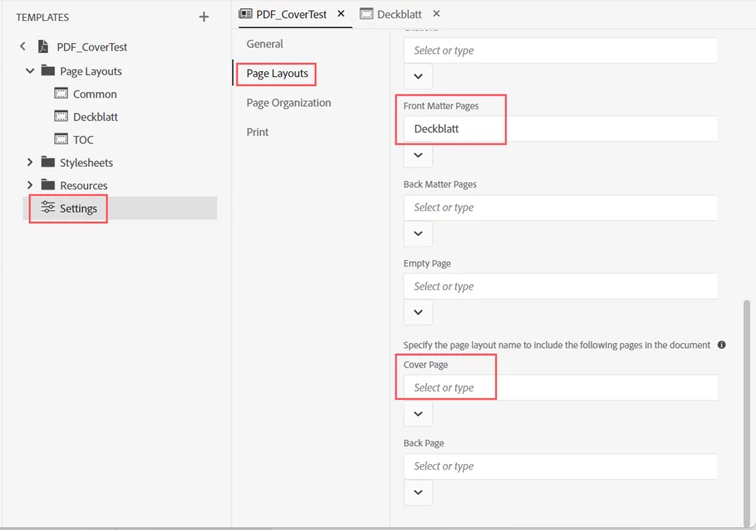
4. In the Template Settings, move to Page Layouts. Select your Page Layout created for your cover for Front Matter Pages and remove the selected Page Layout for Cover Page.
5. As the TOC still can be assigned a separate Page Layout, you can have a different layout for the TOC. However, ALL other Front Matter Topics will use the Layout of your cover.
 AdChoices