


Known Participant
March 22, 2023
Question

How to add bookmark and create navigation link

  • March 22, 2023
  • 2 replies
  • 518 views

Hello there,


Using Robohelp 2022


I am trying to follow the below information,

To create a link, put the cursor inside the desired topic, and Insert Hyperlink (link it to hyperlink help link). Then, select a bookmark in Insert Link dialog.
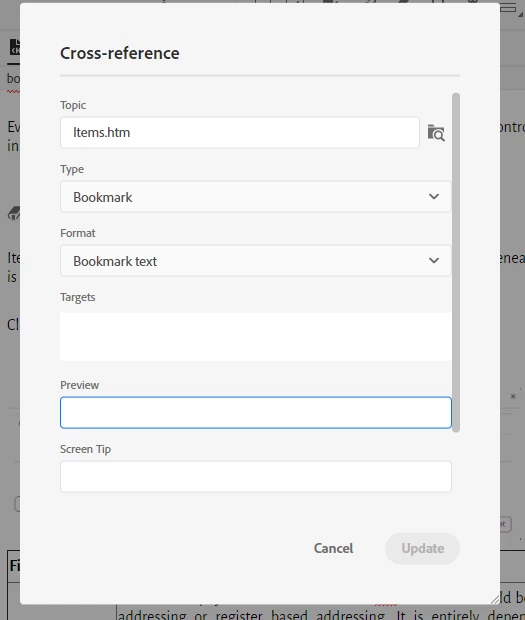


I added a bookmark to the desired location and then trying to insert link. I was able to insert the hyperlink but now able to follow the above statement. When cross reference I am not able to insert or update when select type Bookmark.


Kindly help me out in this. 

    This topic has been closed for replies.

    2 replies

    Community Expert
    March 23, 2023

    Do note that the cross reference method inserts the bookmark text as the link text in your document. If you want to link to the bookmark but specify your own text, you must use a hyperlink, not a cross reference.

    Inspiring
    March 22, 2023

    You have to save the file with the bookmark in it before the bookmark shows up in the cross-reference/link dialog. After you save the file, it should show up in a drop-down menu under the file being referenced.

    Known Participant
    March 22, 2023

    I am able to see the added Bookmark under the topic. But not able to add the link to the same.


    Inspiring
    March 22, 2023

    What do you mean by not being able to add the link? You cannot select the bookmark in the Cross-reference or Link to window? Or you can add the link but it doesn't work?