Participant
August 17, 2023
Answered

How to add numbering to a cross reference?

  • August 17, 2023
  • 3 replies
  • 422 views

Hey everyone, 

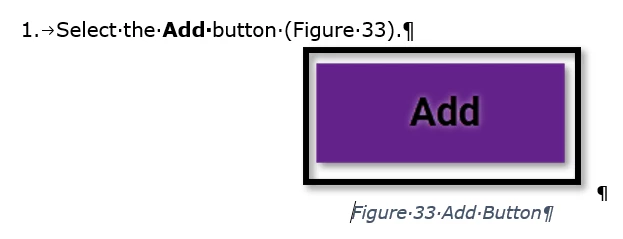
We have a breadth of documentation made in Word. We are moving over to RoboHelp and want to match the currenty style guide. This is how our documentation generally looks:

I don't see any good way to recreate this using cross references in RoboHelp. I could change the figure caption to "Figure 33 - Add Button" but then it wouldn't automatically number and take care of everything. Is there any way to make cross-references look like this?

    This topic has been closed for replies.
    Correct answer Amebr

    Hmm I think the only options are what is in the Format dropdown list. I had a look at the output code, in case there were spans you could target with CSS, but there aren't. Maybe a clever developer could make a javascript that could change them in the output but it'd be pretty complicated I think.


    I think you'll have to live with what Adobe has provided and submit a feature request and hope it's something they implement.


    You can request features and report issues here: https://tracker.adobe.com/

    Post the item number in the discussion so people can easily vote if they want the same functionality.


    On a side note, I did away with heading/figure/table etc numbering decades ago, as online topics can exist in multiple places in your online toc, not just in one location like a book, so the numbering can end up being very arbitrary (plus hard to remember where you're up to, as it doesn't autonumber across web pages). Something to consider as you move into the wonderful world of web.


    Oh and you can set it up so that there are no numbers online, but numbering in your PDF where it does make sense.


    3 replies

    AmebrCommunity ExpertCorrect answer
    Community Expert
    August 20, 2023

    Hmm I think the only options are what is in the Format dropdown list. I had a look at the output code, in case there were spans you could target with CSS, but there aren't. Maybe a clever developer could make a javascript that could change them in the output but it'd be pretty complicated I think.


    I think you'll have to live with what Adobe has provided and submit a feature request and hope it's something they implement.


    You can request features and report issues here: https://tracker.adobe.com/

    Post the item number in the discussion so people can easily vote if they want the same functionality.


    On a side note, I did away with heading/figure/table etc numbering decades ago, as online topics can exist in multiple places in your online toc, not just in one location like a book, so the numbering can end up being very arbitrary (plus hard to remember where you're up to, as it doesn't autonumber across web pages). Something to consider as you move into the wonderful world of web.


    Oh and you can set it up so that there are no numbers online, but numbering in your PDF where it does make sense.

    Participant
    August 29, 2023

    Thanks for letting me know! We were thinking as long as the Figure and Table titles were autonumbered per page, it would be fine. But since we're jumping ship to a different XR format, maybe we'll change that up. Happy documenting!

    Peter Grainge
    Community Expert
    Community Expert
    August 19, 2023

    As a side note to the numbering issue that @Amebr is helping you with, you say you are going to use responsive HTML5 for online help.


    Going forward Adobe will be focussing development on frameless outputs so I recommend considering frameless templates for your project. Other than bug fixes, it is unlikely there will be any changes to HTML5 outputs.

    ________________________________________________________

    My site www.grainge.org includes many free Authoring and RoboHelp resources that may be of help.


    Use menu (bottom right) to mark as Best Answer or to Highlight particularly useful replies. Found the answer elsewhere? Share it here.
    Community Expert
    August 18, 2023

    Which output will you be generating when you switch? You need to consider the capabilities of the output to decide what functionality you want, and online is a very different beast from Word.


    I'm not sure what the cross reference is in your screenshot. Is it just the text in brackets in the numbered step? What does it do? If we know what you want to achieve, perhaps we can offer alternatives.

    Participant
    August 18, 2023

    Hey Amebr! First off, thanks for being such a reliable source of information here. Stalking through these forums have taught me half of what I know about RoboHelp. We're looking to publish in HTML 5 and having a responsive site. We also want to make a functioning PDF of it just in case. It's okay if the PDF isn't perfect; can't have your HTML 5 and eat it too.


    The cross-reference tool works for our purpose (e.g.,  taking the user to the part of the web page where Figure __ is), but I want to be able to change it from the Figure caption text to "Figure 1" instead. Take this for example:


    I made a style for table captions that has autonumbering based on the table, so the numbering is "Table __ -" and the rest of the caption is paragraph. Is there any way to make a format that would let make a cross-reference where the text is "Table 1"? Or could I set up a style to do that?


    Thanks a ton!