symmetricalMan
Inspiring
October 31, 2016
Question

How to change background colour of "Filter Keywords" box in HTML5 Index

  • October 31, 2016
  • 1 reply
  • 474 views

Sorry, but can't find an answer to this.

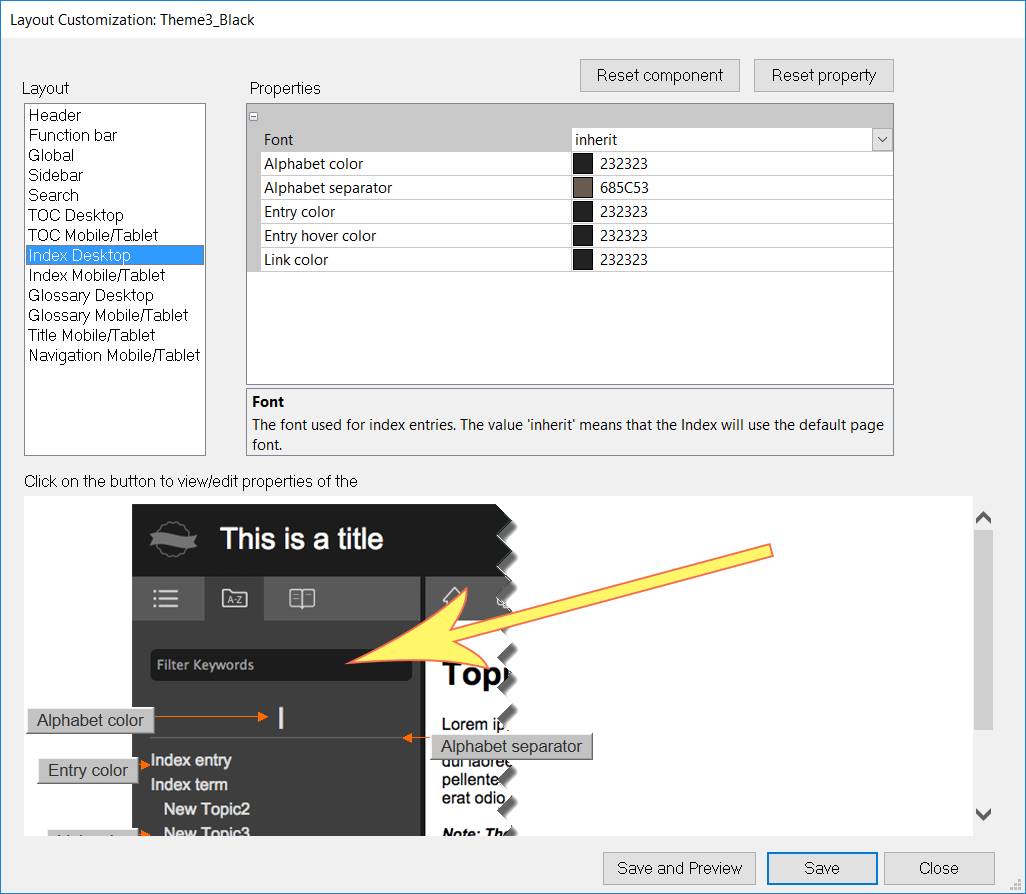
How do I change the background colour of the "Filter Keywords" text box in the Index for desktop-view when using HTML5? It's always black.

...and I mean instead of manually modifying the main.css file from the template folder.

This topic has been closed for replies.

1 reply

Willam van Weelden
Inspiring
October 31, 2016

It seems this specific property was left out. You can set it under mobile though, but that doesn't affect the desktop.

So changing the CSS is your best (only) option... Check for:

@media screen and (min-width: 81em) {

input.wIdxFilter {

in the CSS file.

symmetricalMan
Inspiring
October 31, 2016

Thanks.

I ended up adding the following to the main.css in my template folder:

input#idxFilterBox {

                    background-color:#fff !important;

                    color:#000 !important;

}

input#gloFilterBox {

                    background-color:#fff !important;

                    color:#000 !important;

}

Dear ol' Robohelp - the world's biggest collection of oversights.