Participating Frequently
June 14, 2022
Answered

How to change color of top panel in mobile view

  • June 14, 2022
  • 1 reply
  • 239 views

Hi,

- I am using Robohelp 2020 (2020.7.46).

- I am also using Frameless preset for my output of the project.

In mobile view, when I click 'Show left panel' the top bar (tab-list) remains orange even when I change the color to something different (output > skins > frameless > Edit > left panel > tab-list > shading).


Could you advise if it is possible to change it and how, please?


Thank you very much for your prompt responce.

Regards,

Luke

    This topic has been closed for replies.
    Correct answer Peter Grainge

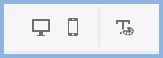
    Are you clicking the phone icon to set the colour for mobile view?


    ________________________________________________________

    My site www.grainge.org includes many free Authoring and RoboHelp resources that may be of help.


    1 reply

    Peter Grainge
    Community Expert
    Peter GraingeCommunity ExpertCorrect answer
    Community Expert
    June 14, 2022

    Are you clicking the phone icon to set the colour for mobile view?


    ________________________________________________________

    My site www.grainge.org includes many free Authoring and RoboHelp resources that may be of help.


    Use the menu (bottom right) to mark the Best Answer or Highlight particularly useful replies. Found the answer elsewhere? Share it here.
    Participating Frequently
    June 15, 2022

    Hi Peter,

    No, I was not aware of this. Thank you for explaining. I have just tried it and it works.

    Thank you very much for your support.

    Regards, Luke