Inspiring
Sep 16, 2015 1:14 AM UTC
Answered

How to Change the Header Text in a Responsive HTML5 Layout

I'm working in Rh 11.0.4.291.

This is probably a "duh" question, but I can't remember how to change the title text in the header of a responsive layout. In the layout editor, I see that I can change the title font, color, and hover color, but where does one change the actual text?

Any assistance will be much appreciated.

This topic is closed to new replies. Start a new post to keep the conversation going.
Captiv8r
Captiv8rCorrect answer
Legend
Sep 16, 2015 4:40 AM UTC

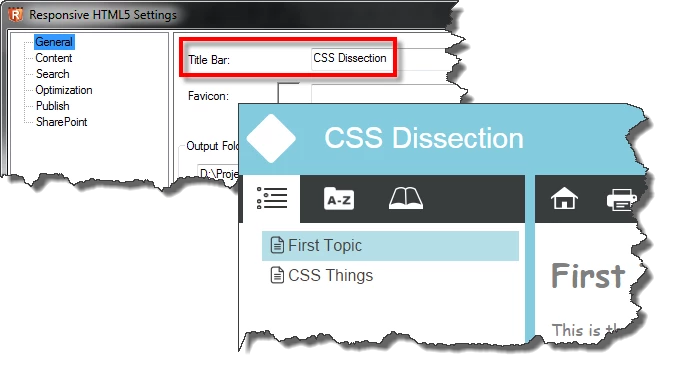
Also might be the Title Bar?

Cheers... Rick

4 replies

Community Expert
Sep 16, 2015 4:33 AM UTC

Do you mean the project title in File > Project Settings?

Translate
Captiv8r
Captiv8rCorrect answer
Legend
Sep 16, 2015 4:40 AM UTC

Also might be the Title Bar?

Cheers... Rick

Translate
Community Expert
Sep 16, 2015 7:34 AM UTC

I *think* that one is the browser title bar and/or tab name, but certainly doesn't take long to check.

Translate