


How to delete images permanently from the entire project folder
Hi, our teams uses RoboHelp (2017) for quite a long time now and our projects contain many many topics and also images and are updated regularly (new segments, new images, new topics). From time to time, of course, we replace outdated images with new ones.
What we do is: we delete them in the editor of the topic and just save it. However, the images are still existent in the local project folder. We just noticed that, so the simplest workaround (any time you delete an image in RoboHelp, make sure to delete it in the local folder as well) doesn't work.
As a result, we have a lot of files in the local project folder which are not needed anymore.
How can we delete the images for good? Is there a special setting or workaround?
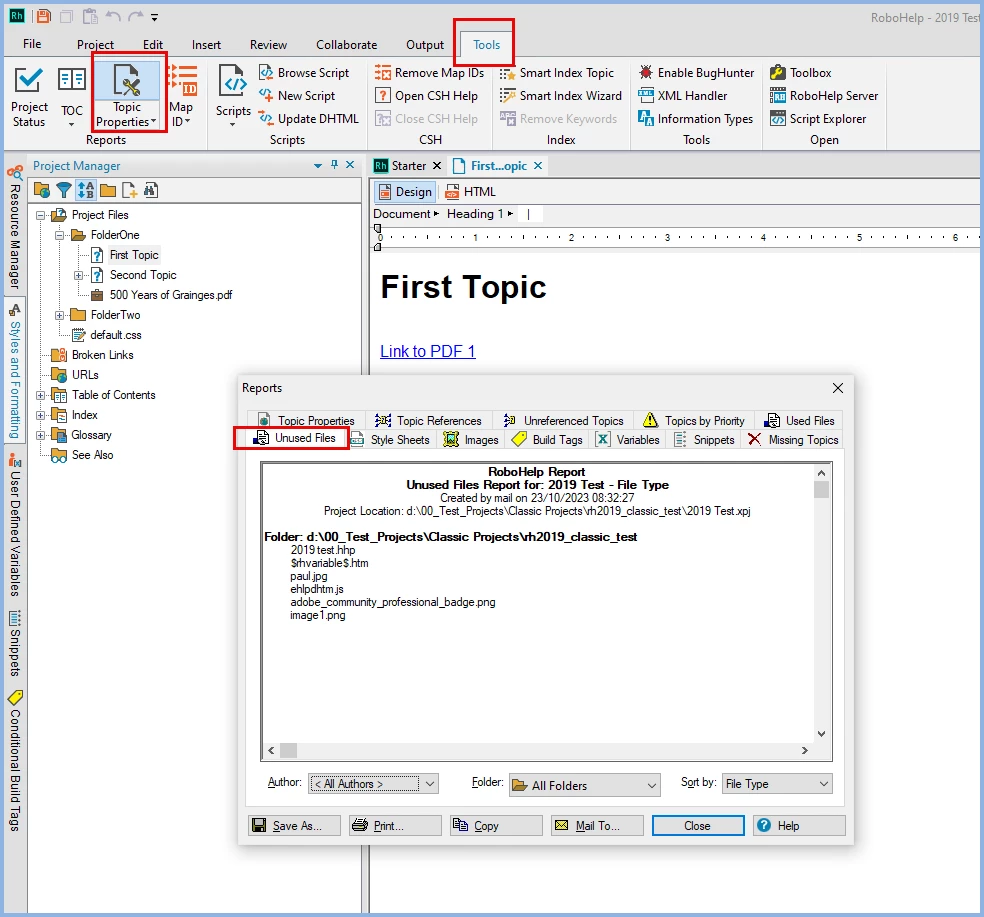
Or maybe, is there a view, pod or any way to see which image files are really used within the project topics (so that we can manually delete all the others)?
Gracteful for any hints regarding this issue.
Best regards
Ann-Kathrin



 AdChoices