
Inspiring
August 12, 2020
Answered

How to edit "OL" style? (RH 2019, new UI)

  • August 12, 2020
  • 3 replies
  • 338 views

Hi, Everyone.


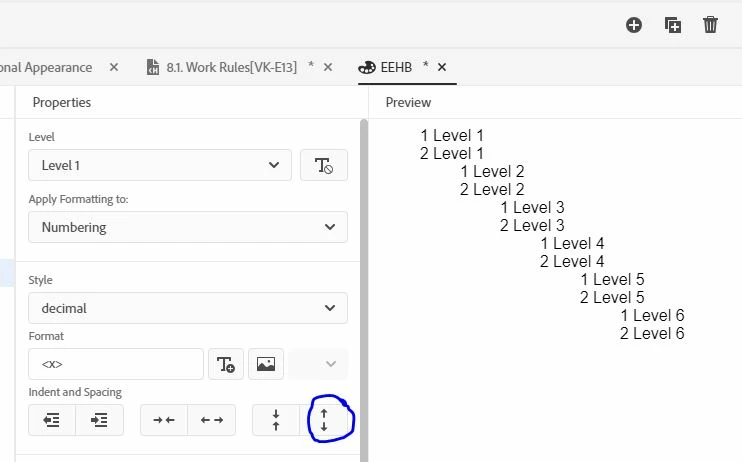
I'm trying to edit the ordered list style. I want to increase vertical spacing between list items. In the styles editor, I click the increase-vertical-space button. And it gives me what I want. (See screenshot, below.)


HOWEVER, the period after the number has disappeared. How do I add it back?


Thank you!
 

    This topic has been closed for replies.
    Correct answer Amebr

    Type it at the end of the text in the Format box 🙂

    3 replies

    Inspiring
    August 13, 2020

    Awesome! Thanks much, Amber.


    Here's what she means (screenshot):


    Community Expert
    August 13, 2020

    It's initially a magic dot and you have to add as soon as you edit the default style.

    AmebrCommunity ExpertCorrect answer
    Community Expert
    August 13, 2020

    Type it at the end of the text in the Format box 🙂