
Participating Frequently
April 18, 2024
Question

How to get Topic Name in the HTML Page Title for Responsive HTML output

  • April 18, 2024
  • 1 reply
  • 139 views

Hi all!

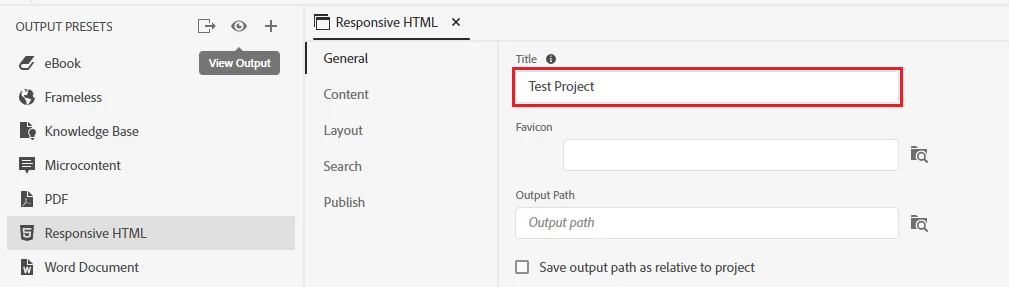
I want to know if we can get the topic name in the HTML page title when we generate output using Responsive HTML preset. For example, I have created a project with title 'Test Project' in RoboHelp.
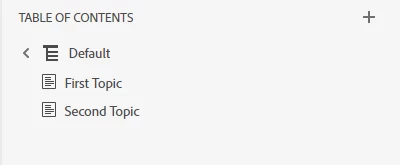
I have added two topics to this project
When I generate the Responsive HTML output, I can see that the HTML page shows 'Test Project' in the title.
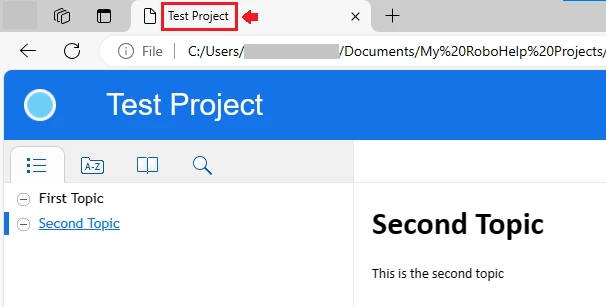
Is it possible to show 'Second Topic' when I click on it instead of 'Test Project'?

If I remove the project title from the settings, the filename including .htm extension is shown which is not what I want.
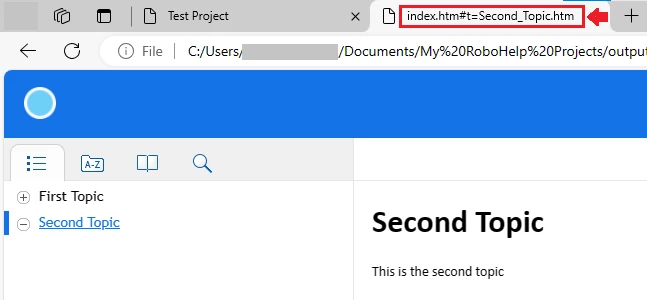
Please let me know if anyone has a solution to this. Thanks very much!

    This topic has been closed for replies.

    1 reply

    Peter Grainge
    Community Expert
    Community Expert
    April 18, 2024

    I believe that is the way responsive help is designed. Maybe someone will post a solution but I don't think there is a workround. 


    If you take a look at my site, I think you will see that is working how you want. That is using a frameless output.


    If you decide to change, be aware the calls for context sensitive help are different if you use URLs. An advantage of frameless is that you can customise it much more and it is where Adobe will be focussing future development.

    ________________________________________________________

    My site www.grainge.org includes many free Authoring and RoboHelp resources that may be of help.


    Use menu (bottom right) to mark as Best Answer or to Highlight particularly useful replies. Found the answer elsewhere? Share it here.
    Participating Frequently
    April 19, 2024

    Hi Peter, Thanks for the reply. I did notice that it works the way I want in Frameless preset, but for now my organisation wants to go ahead with the Responsive HTML. I will check with them if we can adopt Frameless instead of Responsive HTML. Thanks again.