



How to indent bulleted lists 'inline' in RoboHelp 2020?
Hi everyone, I just upgraded from RoboHelp 2015 to RoboHelp 2020 and I'm really struggling with it. It's so different than the Classic version. I have many existing numbered and bulleted lists. I was using a custom image as my "bullet" in RH 2015; but that did not come over in the upgrade. Not only that, but my lists are not indented properly and some have two bullets on one line. But those are other problems!
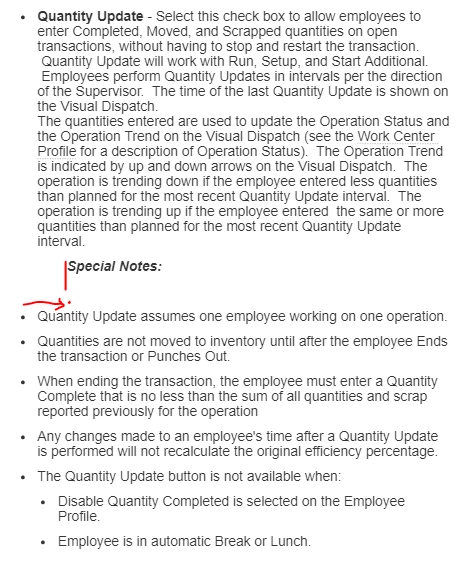
My main question is...Does anyone know how to simply indent a bulleted list? You used to be able to just click the Indent button on the toolbar, but that button no longer exists. Here is the list I am trying to indent. I want the list indented under the Special Notes heading. I have many lists similiar to this that I need to indent. I did see the "Alignment" option once...under the Properties panel, General tab. However...I cannot get it to come up again and do not know how I got to it. I have tried tutorials online and they were not helpful.
Thanks,
Lori
 AdChoices