

How to make a link use a User-Defined Variable?
RH 2015 (12.0.3.428)
We have some UDVs that contain FTP links like this:
ftp://ftp.wilcoxassoc.com/PC-DMIS-Versions/Release/2017_R1/
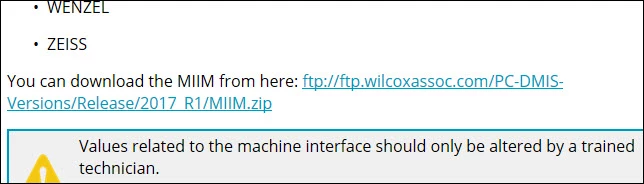
Note: The 2017_R1 is our software version number, and it'll change every new version of our software (2017_R2, 2018_R1 etc), hence the desire for a UDV.
Anyway, the UDV works fine for displaying the FTP address itself as simple text, but from my tests, we can't use a UDV inside of an HREF attribute to actually send a click to that page.
When our next version of our software updates, even though we update the UDV, the actual link in the HREF will not change.

The yellow highlight in the above image shows the UDVs are around the text, but the actual link (in the red box) won't change when the version is updated.
Is there a way around this limitation yet still use UDVs?


 AdChoices