
Inspiring
July 16, 2014
Question

How to move a topic to a new folder using Robohelp and preserve all Subversion History?

  • July 16, 2014
  • 2 replies
  • 824 views

Greetings!

I've spent days trying to find an answer and decided to turn to the great experts in these forums.

My company is presented with a potential legal challnge and I really need someone's advise with something hopefully simple

Here are the details:

1. We use Robohelp 9 and our the RH project in question uses subversion

2. Each time we need to retire a topic, instead of completely deleting it from within Robohelp, we simply move it to a different sub-folder and exclude it from the searches, etc.

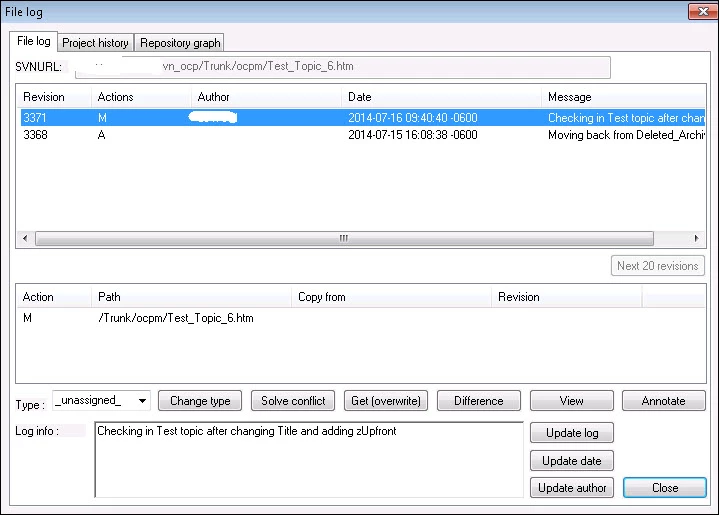
3. We recently realized though that each tuime we move any topic to a different folder, all previous revisions disappear from the file logs. Since the file now has a new patch, the system just thinks it's a brand new topic that we've added

4. We tried moving some of them back to the original folder to see if the logs will re-appear, alas no go.

5. We do have a team that deals with subversion, alas they are no experts in Robohelp. They will be able to restore the old versions manually, but we won't be able to move topics from folder to folder in the future, which will be terrible.

We do believe that on the back end, Robohelp doesn't actually use "svn move" when we drag and drop a topic to a new folder (using RH), but it simply does a copy and then probably deletes the old on that had all the history.

So long story short, here's the essence of my question.

Is there any any possible way to move topics using Roboehlp from folder to folder and still prserve all logs/history?

Maybe a setting in Robohelp or somewhere else that would allow this?

Thank you in advance

Assen G.

This topic has been closed for replies.

2 replies

RoboColum_n_
Legend
July 17, 2014

I've been thinking about this a bit more. SVN would have revisions for the topic up to the point it was moved to a new folder. If the move to a new folder does not bring the history with it, the history is not deleted. It will still exist in the old revisions. So perhaps the way forward is to have a way of mapping the old revision to the new folder position. One way you could do this is to have a topic inside your project that lists things like the:

  • Old location
  • Last revision number
  • New location

If this was in your project it would also be in SVN and therefore have a trail of what has been done.

RoboColum_n_
Legend
July 16, 2014

Correct me if I am wrong but this sounds like you have integrated SVN with RH via the PushOK plugin? We haven't used this plugin, preferring to manually Update and Commit changes via the Windows Explorer menu items. This works well for us and allows you to move topics around and rename them whilst keeping the audit log history.

Asi2013Author
Inspiring
July 16, 2014

You are absolutely correct. My apologies for not mentioning PushOk. Completely spaced out. Up until now, it has done wonders for us and it has allowed us to manage everything from within Robohelp, alas nothing seems to be perfect.

You did however give me a few ideas so thank you big time!

Willam van Weelden
Inspiring
July 17, 2014

To add to Colum's remark:

I noticed this in TFS and VSS, so I suspect the same goes for SVN: The problem here is that RoboHelp doesn't support moving files in version control. When you move a file, RoboHelp will delete the existing file and will add the file in the new location as a new file in the version control. So the problem here seems to be with RoboHelp instead of SVN.

Kind regards,

Willam