

Jared Hess
Legend
August 29, 2018
Answered

How to resolve "An error occured while trying to read data from" (rhsharedresource.apj)

  • August 29, 2018
  • 1 reply
  • 849 views

RH 2017 (13.02.334)

So, I've received this error in the past but for different files, usually with .fpj files (and I have script from helpessentials.com that fixes that). However, today it's happening with rhsharedresource.apj. One of the things that we've been doing is applying a new style sheet (.css file) to all our projects and that we have stored up in a SharedResources folder on a mapped network drive, and I think something got messed up somewhere.
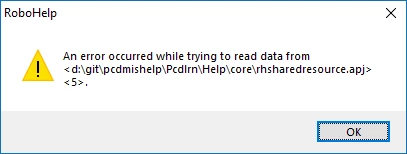
If I click OK and then access the Resource Manager, nothing is linked anymore:
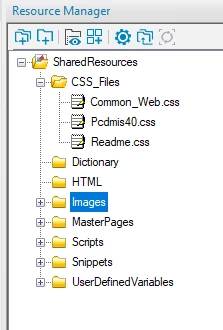
Any ideas on how to resolve this error so that things are now linked properly? I've tested the code of the .apj inside an xml validator and it's fine.

This topic has been closed for replies.
Correct answer Jared Hess

The problem was a co-worker of mine had some entries in the .apj file that were pointing to a non-existent file. Deleting those code blocks from the .apj solved the problem.

1 reply

Community Expert
August 30, 2018

Try renaming the cpd and reopening the project?

Otherwise, do you have an older version of the apj (from when it was working) that you can compare with the current one, in case things have gone bonkers and the references have been stuffed up/removed somehow?

Jared Hess
Legend
August 30, 2018

Hi Amebr. Thanks for your reply. From the options screen we use the check box that clears out the CPD file every time we load, so I doubt that's it. We do use source control so if we're tracking that file I should be able to go back in time and check it against an older copy. I'll try that next.

Jared Hess
Jared HessAuthorCorrect answer
Legend
August 31, 2018

The problem was a co-worker of mine had some entries in the .apj file that were pointing to a non-existent file. Deleting those code blocks from the .apj solved the problem.