
Question
HTML file disappear from project manager
HTML file(RCPlateSections.htm) I had added to project before disappear from project manager.
I confirmed the real file(RCPlateSections.htm) is saved storage by checking Windows explore.
Following is the status of project manager and the contents of FPJ file corresponding the directory includes target html file.
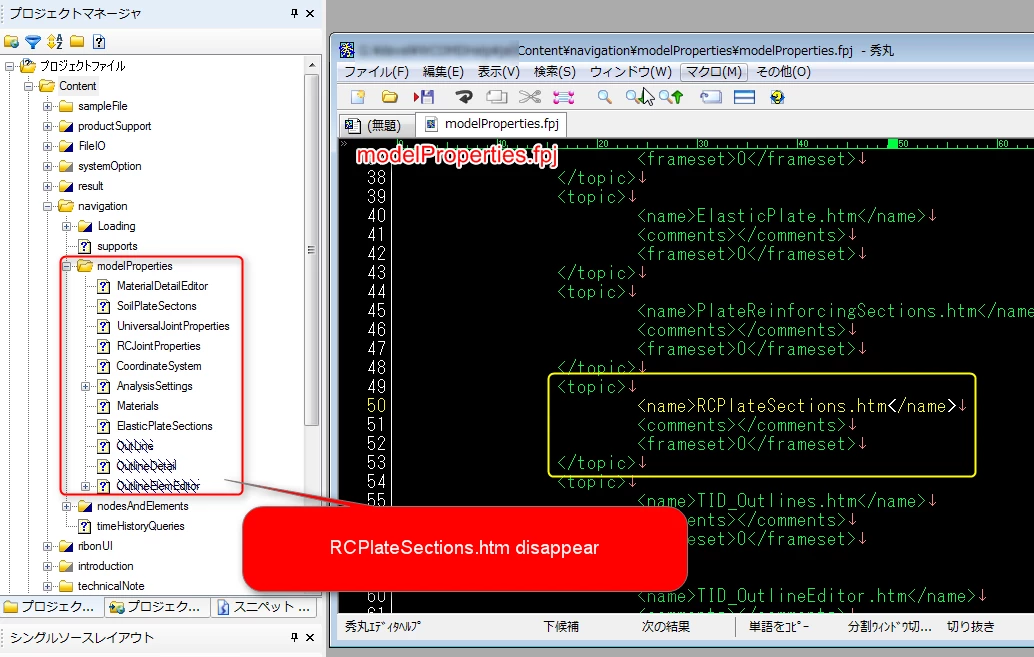
I had tried to delete CPD file and restart RoboHelp. But I cannot resolve this problem.
Does Adobe RoboHelp treat the file includes the relationship between Item name is displayed in project manager and real file name ?
Application: Adobe RoboHelp8
OS: Windows7 Ultimate (64bit)


 AdChoices