
Participating Frequently
July 11, 2017
Question

HTML Responsive - customising the landing page

  • July 11, 2017
  • 1 reply
  • 796 views

Hi All,

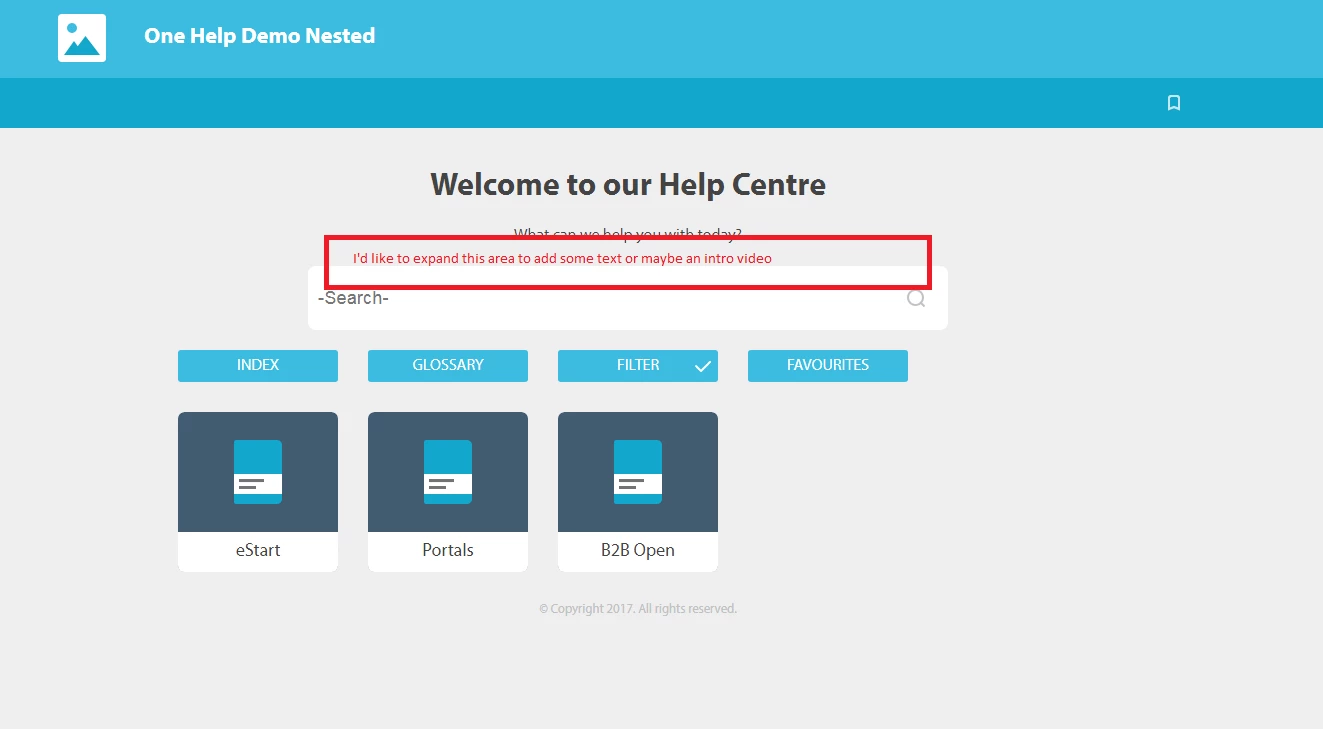
Is there a way (adding a DIV maybe?) to add some additional information on a frameless HTML responsive layout like Indigo. What I'd like is to add some standard text and maybe embed a video for people when they hit the landing page, instead of having them have to click through to something. I've attached a graphic to show you what I'm thinking.

It's a merged project, so the links to the sub-projects are displayed (e.g. eStart, Portals). Ideally I'd keep those intact, but I'd consider replacing those if I could configure the master project to display a topic with the information I wanted in their place.

You can look at the live project here:

One Help Demo Nested

I was thinking that maybe I could get the content of the Welcome page to display on the main landing page, but no such luck. Any help, appreciated.
This topic has been closed for replies.

1 reply

Inspiring
July 11, 2017

I am not using the same layout you are but I have two thoughts:

With RoboHelp closed and a backup of your project, I'd search the code in my project directory for the text "What can we help you with today" and see if I could figure out where to add the text. I would use Dreamweaver to do this because I have it set up as my default HTML editor. That said, it the comments in that file tells me that RoboHelp generates the file as part of each compile process, I would immediately know that any changes I would make would be overwritten the next time I compiled. I would be in danger of entering a hamster wheel of 'compile, make changes to that file, replace the generated file with the changed file' and because I have enough hamster wheels in my life, I would find the place where the text "What can we help you with today" is set within the RoboHelp UI and see what I could do there. 

Let me know what file stores that text and if it is one that RoboHelp generates and I can offer additional thoughts.

Paul Hanson

Captiv8r
Legend
July 11, 2017

I'm not certain the search for that text will do the trick. I say this because I believe that actual phrase is stored in the LNG file. So likely a placeholder of some sort actually exists that is then replaced with the LNG text. According to the LNG file, it is known as:

   Welcome_text=What can we help you with today?

I looked at the layout in RoboHelp. (Output Setup pod > Indigo > Homepage) and I think this is where you will need to modify things.

I note that if I search the page I find a div with Welcome in it.

I copied it and pasted and made a slight modification.

I then saved it all and generated and here is the result:

So it would appear you ARE able to influence it. But you will need to do some experimenting as well as tweaking the CSS in order to center things and whatnot.

Cheers... Rick

Participating Frequently
July 12, 2017

Thanks for that Rick. I'll have a look and see what I can come up with. Just, out of curiosity, do you listen to the No Agenda podcast? If you do, you'll know why I asked. If you don't, you should