


Known Participant
June 14, 2021
Answered

HTML5 > TOC > Keep Closed on Output Open

  • June 14, 2021
  • 2 replies
  • 233 views

I recently upgraded from the RH2019 Classic Version and am now using RH2020. When the output is generated, it is opening the TOCs first topic and I would like to have it stay "closed". I'm wondering if there is a setting or something that I'm simply not seeing. I'm still trying to learn the different interface and features so anything is helpful, thank you.


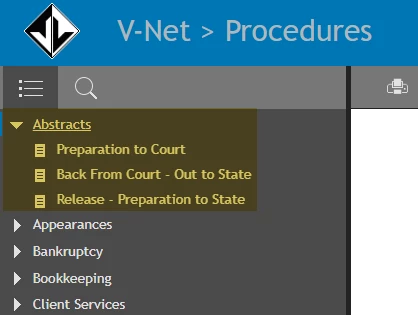
Below is how it appears on the outputs.
 

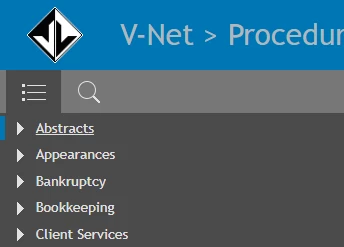
Here is what I'd prefer
 

    This topic has been closed for replies.
    Correct answer Peter Grainge

    The only way I can see that you will achieve that is to have the default topic as a page in the TOC above the books. The TOC opens the book containing the topic shown so not putting the topic in a book bypasses that.

    ________________________________________________________
    See www.grainge.org for free Authoring and RoboHelp Information

    2 replies

    codyp816Author
    Known Participant
    June 15, 2021

    That looks to have resolved the issue. It's a generic page we use for all of our outputs but it will work. 


    Thank you. 

    Peter Grainge
    Community Expert
    Peter GraingeCommunity ExpertCorrect answer
    Community Expert
    June 15, 2021

    The only way I can see that you will achieve that is to have the default topic as a page in the TOC above the books. The TOC opens the book containing the topic shown so not putting the topic in a book bypasses that.

    ________________________________________________________
    See www.grainge.org for free Authoring and RoboHelp Information

    Use the menu (bottom right) to mark the Best Answer or Highlight particularly useful replies. Found the answer elsewhere? Share it here.
