Inspiring
July 16, 2024
Question

I can't apply a style to a snippet

  • July 16, 2024
  • 3 replies
  • 360 views

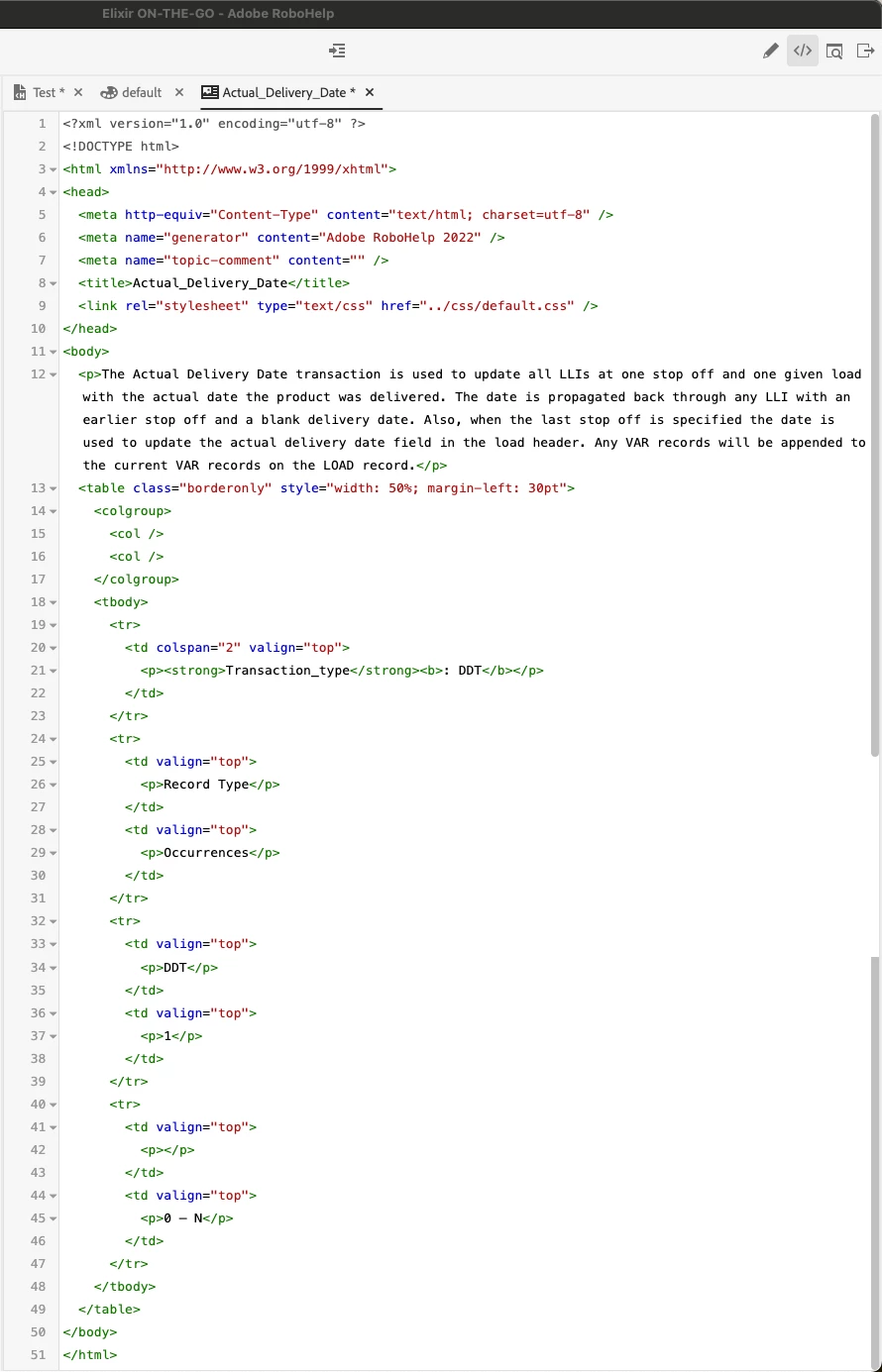
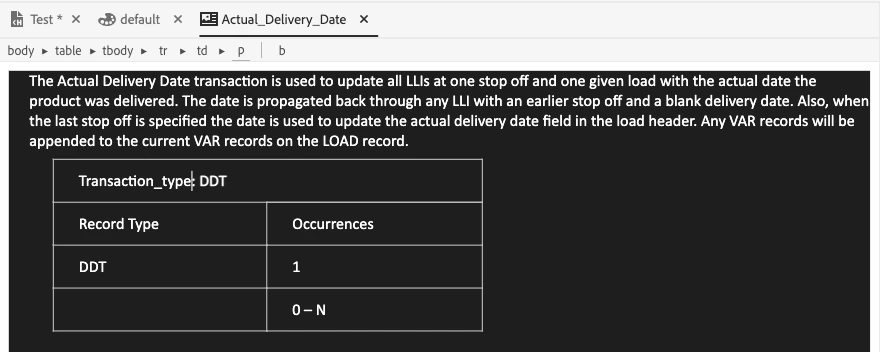
I can't figure out what I'm doing wrong. I have a snippet that contains a paragraph and a table.

I'd like to bold the header row in the table, but when I select the text and try to bold it, nothing happens. Manually added the <strong> tag to the html doesn't work either. I've looked at the default.css, and I can't spot the issue.


Any help is greatly appreciated!!!


    This topic has been closed for replies.

    3 replies

    Community Expert
    August 6, 2024

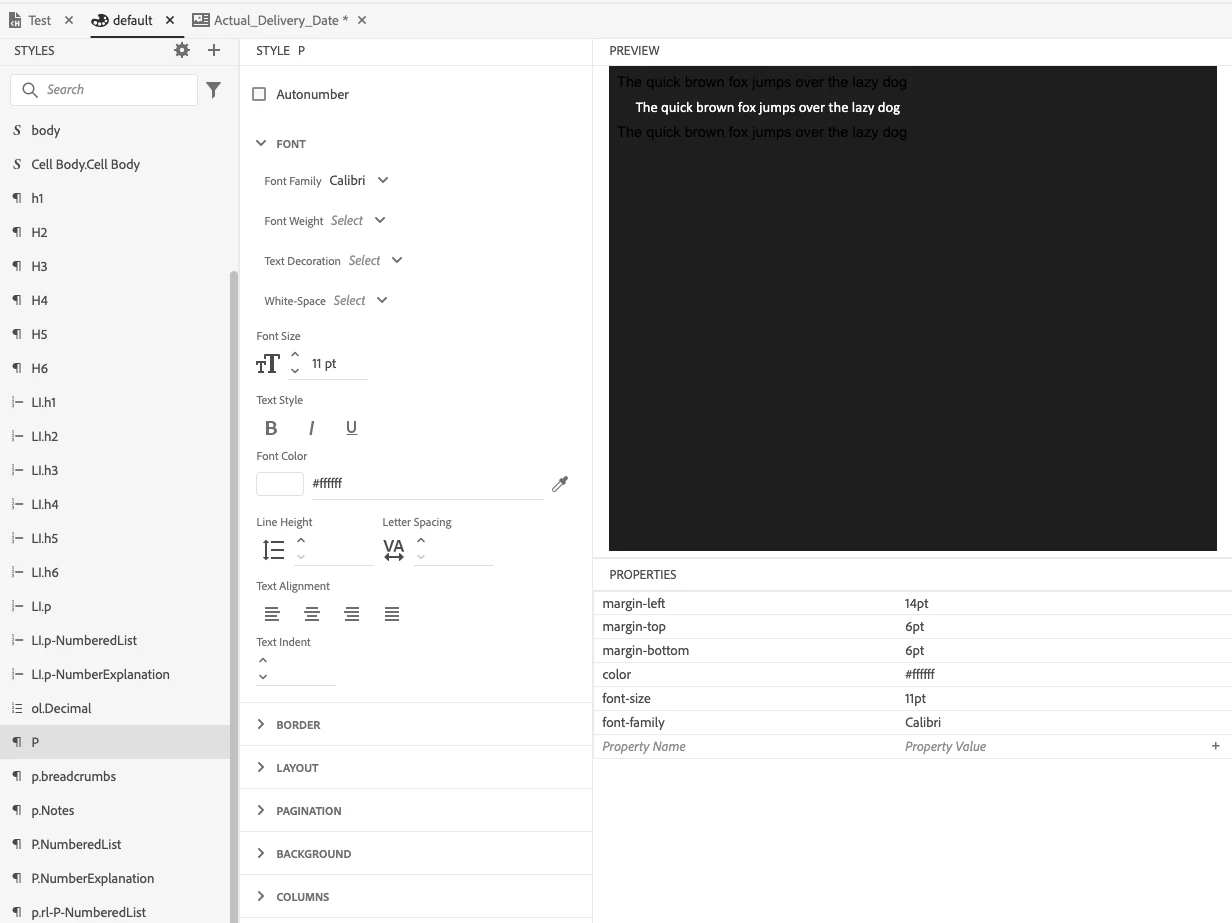
    If you can successfully apply bold to text in the regular paragraph above the table, perhaps you have a complex selector which specifically sets paragraphs inside table cells to normal weight.


    I can't say exactly what might be set, because of the cascading nature of css, but look for something like:


    td p {

        font-weight: normal;

    }

    Peter Grainge
    Community Expert
    Community Expert
    July 18, 2024

    In HTML Header Row is a specific tag. It looks like you simply mean the top row. That is not the same thing.


    However you define the first row though, it should be possible to bold the content. I just created a table in a snippet, put text in the cells of the first row, selected the tr breadcrumb and then pressed CTRL B. Bold was applied to all the text. I was also able to apply bold to individual cells or words.


    Try a new snippet to test.

    ________________________________________________________

    My site www.grainge.org includes many free Authoring and RoboHelp resources that may be of help.


    Use menu (bottom right) to mark as Best Answer or to Highlight particularly useful replies. Found the answer elsewhere? Share it here.
    Inspiring
    July 17, 2024

    You say 'header row', but I only see <td> elements in your code. There are no <th> elements, which are used to indicate table header cells.


    i.e. it should be


    [...]

    </colgroup>

    <tbody>

      <tr>

         <th colspan="2" valign="top">

           <p>...</p>

         </th>

      </tr>

    ...


    Most CSS stylesheets tend to already bold header rows by applying styles to th elements.

    Joe@MajiqAuthor
    Inspiring
    July 17, 2024

    The content I'm dealing with now is in the header row, but the problem is that I cannot bold any content in any row.