Irene259097522u8r
Known Participant
August 1, 2024
Answered

I converted an RH9 microsoft HTML help project to RH2022. The overall look of the help is different.

  • August 1, 2024
  • 5 replies
  • 395 views

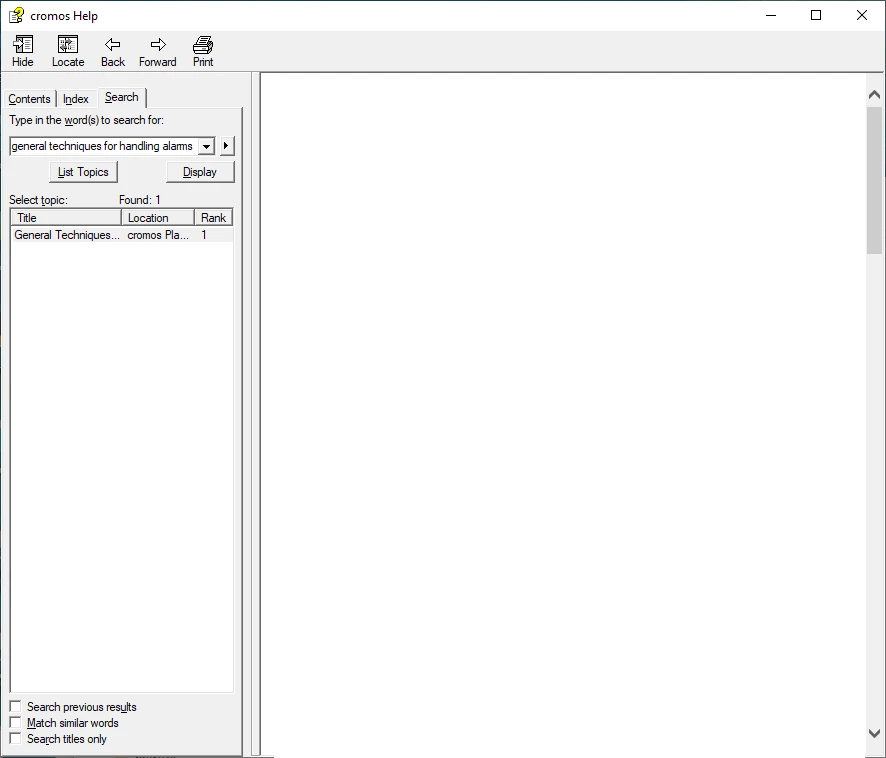
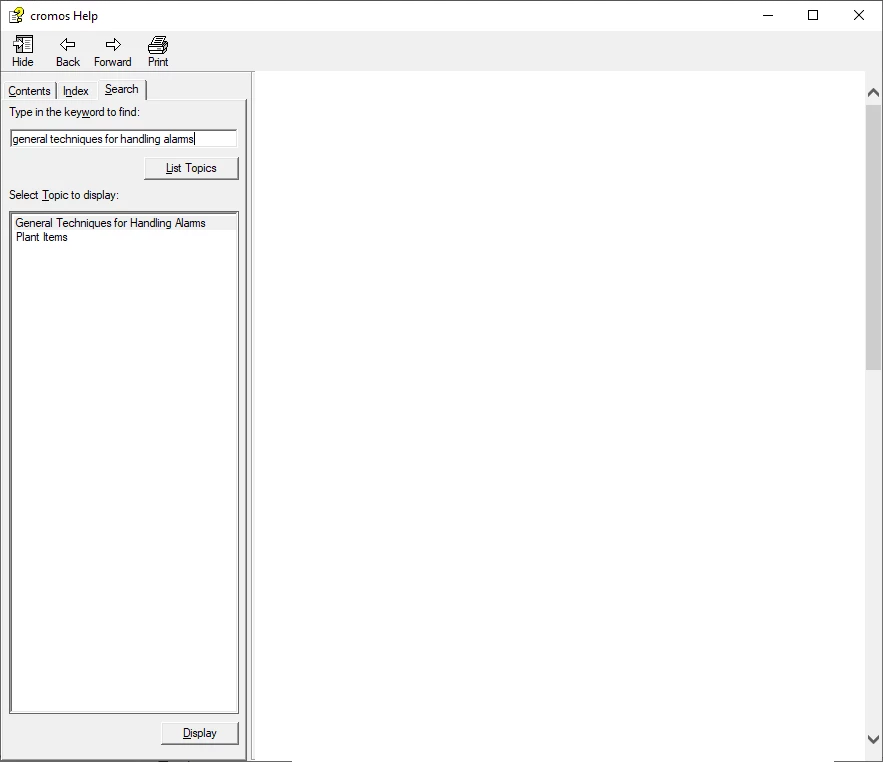
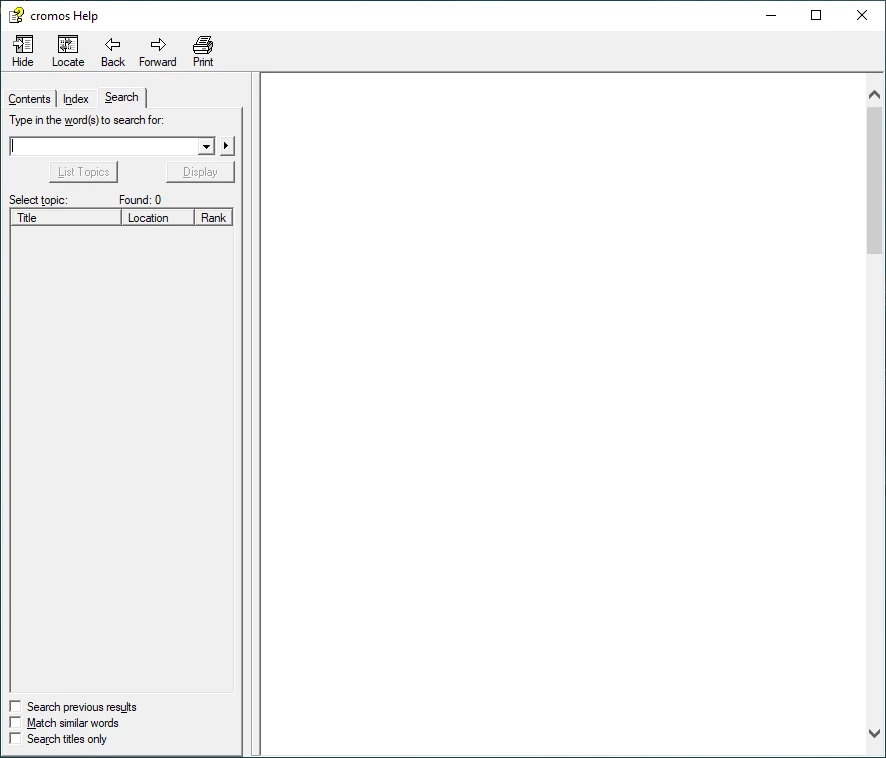
The RH2022 help has not locate button and after searching there is no lcaiton and rank show along with the files that have been found. Also the 'Display' button is not in the same place as in RH9.

The attached files show the problems. I have blanked out the contents of the right-hand pane.


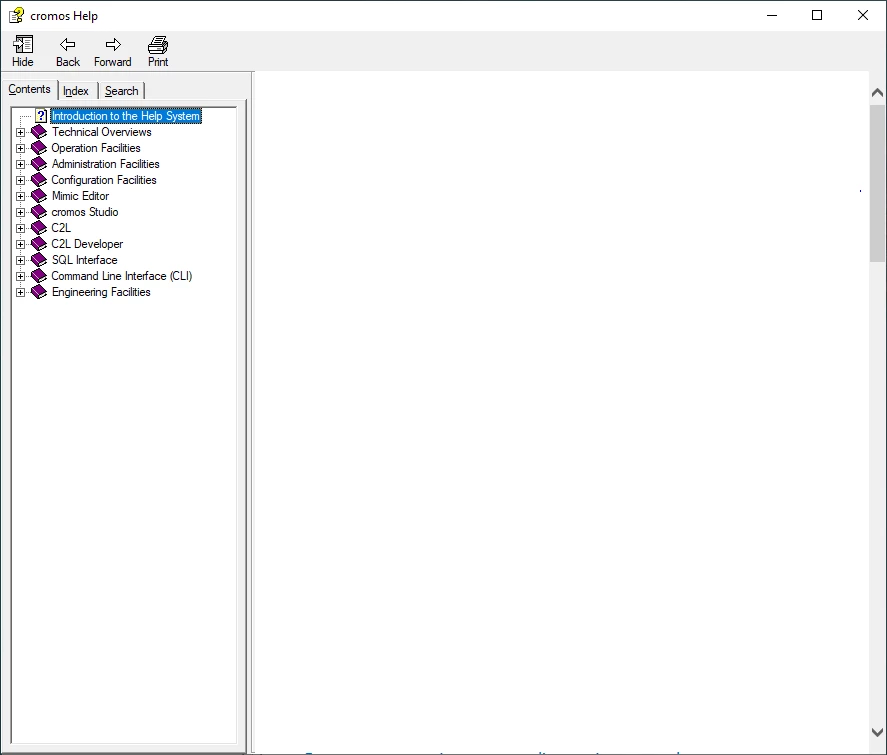
1. No locate button - 1st two pictures below - RH9 1st, RH2022 second picture

2. No location and rank plus Display in different position - see last two pictures below - RH9 3rd, RH2022 fourth picture


How can I get the RH2022 help to look like the RH9 help ?
This topic has been closed for replies.
Correct answer Peter Grainge

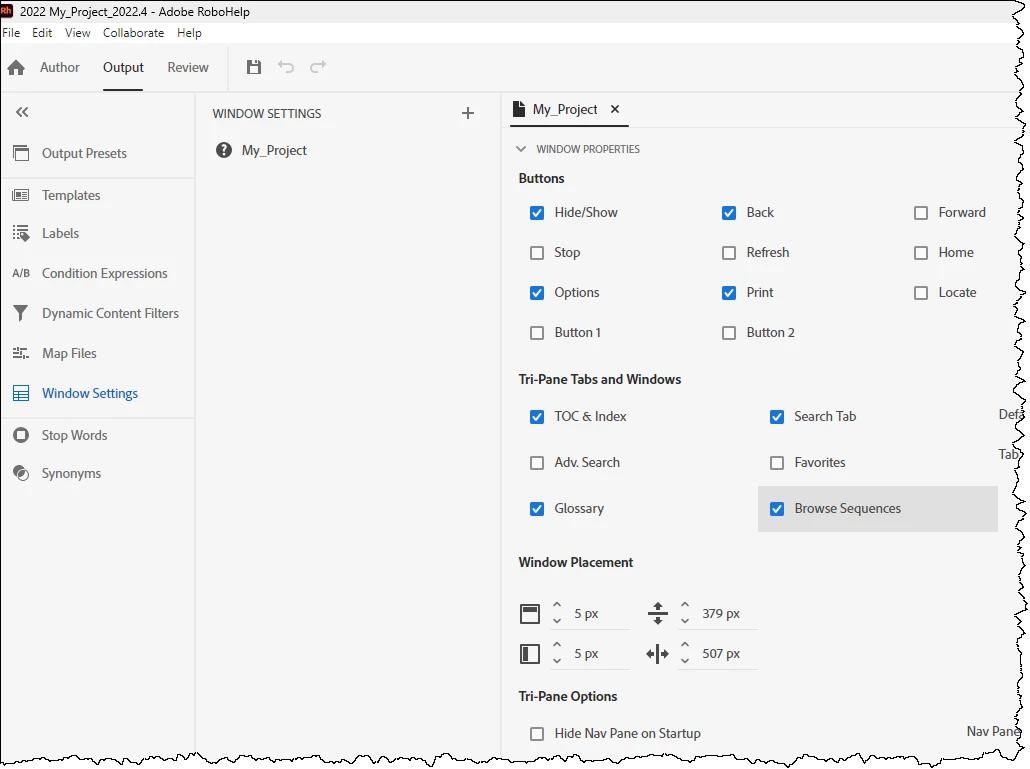
Take a look at the Window Settings. Initially what I generated did not have Locate selected but it appeared when I selected that option.


You can deselect the Glossary if you don't have one.


Does that resolve your problems?

________________________________________________________

My site www.grainge.org includes many free Authoring and RoboHelp resources that may be of help.


5 replies

Peter Grainge
Community Expert
Community Expert
August 1, 2024

Browse Sequences are nothing to do with search. There is a search option the window settings and that should be all you need.

________________________________________________________

My site www.grainge.org includes many free Authoring and RoboHelp resources that may be of help.


Use menu (bottom right) to mark as Best Answer or to Highlight particularly useful replies. Found the answer elsewhere? Share it here.
Peter Grainge
Community Expert
Peter GraingeCommunity ExpertCorrect answer
Community Expert
August 1, 2024

Take a look at the Window Settings. Initially what I generated did not have Locate selected but it appeared when I selected that option.


You can deselect the Glossary if you don't have one.


Does that resolve your problems?

________________________________________________________

My site www.grainge.org includes many free Authoring and RoboHelp resources that may be of help.


Use menu (bottom right) to mark as Best Answer or to Highlight particularly useful replies. Found the answer elsewhere? Share it here.
Irene259097522u8r
Known Participant
August 1, 2024

Yes it solves the problem! THank you very much. Glossary was not selected in 'Tri-Pane Tabs in any case.

When I  check 'Browse Sequences', I get to see whatT I want to see, which is Contents, Index and Seach tabs.

I had been playing around with the .lng file without getting anywhere, but I see that this file has been amended after checking 'Browse Sequences' in that  a section named "BrowseSequence" is no longer there.

I can see that you can add browse sequences, but there aren't any in the project, so it's a bit of a mystery as to why checking this box gets me to see the Search tab. Must be some sort of default ?

Jeff_Coatsworth
Community Expert
Community Expert
August 1, 2024

I suspect that the main problem is that CHMs are such antique technology, that trying to support them in newer and newer versions of RH is proving harder and harder for the RH dev teams. Theoretically they should still be identical (since MS stopped development of them eons ago and the code is frozen in time), but I bet the DLL guts/programming involved that make them go are failing in newer OSes as time goes on.

Peter Grainge
Community Expert
Community Expert
August 1, 2024

Sorry I misread the problem. I was thinking about the UI. Doh!


I will take a look again later. 

________________________________________________________
My site www.grainge.org includes many free Authoring and RoboHelp resources that may be of help.


Use menu (bottom right) to mark as Best Answer or to Highlight particularly useful replies. Found the answer elsewhere? Share it here.
Peter Grainge
Community Expert
Community Expert
August 1, 2024

In RoboHelp 2019 Adobe introduced the new UI that you see in RoboHelp 2022. There is no way you can make it look like any Classic version, much less look like one as old as RoboHelp 9.


How to use RoboHelp 2022 is described in quite a lot of detail on my site.


To find a topic by all or part of its filename, use the Search at the top of the panel. To search for content in a topic, use Find and Replace.


You have quite a learning curve and at first I found it confusing. After a short while you will find it more intuitive.

________________________________________________________

My site www.grainge.org includes many free Authoring and RoboHelp resources that may be of help.


Use menu (bottom right) to mark as Best Answer or to Highlight particularly useful replies. Found the answer elsewhere? Share it here.
Irene259097522u8r
Known Participant
August 1, 2024

THanks for the very prompt reply. I can stop trying to see if I can make Rh2022 microsoft html ouput look like RH9.

You are quite right about the learning curve! when the RH9 help was produced it was produced by a technical author, so I am not even all that au fait with RH9.