
January 7, 2016
Question

I created a responsive HTML5 output, but the display is not what I expected. How do I alter it?

  • January 7, 2016
  • 2 replies
  • 495 views

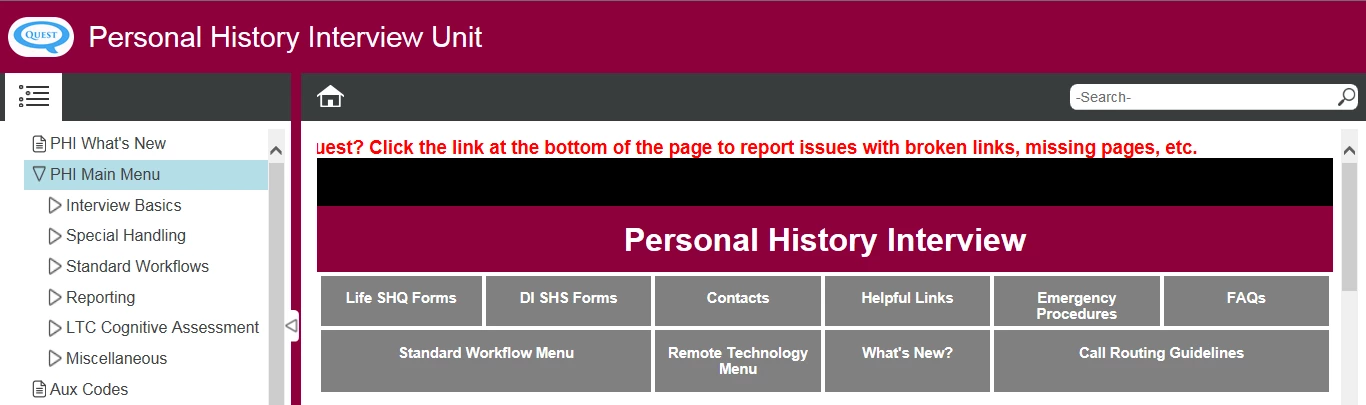
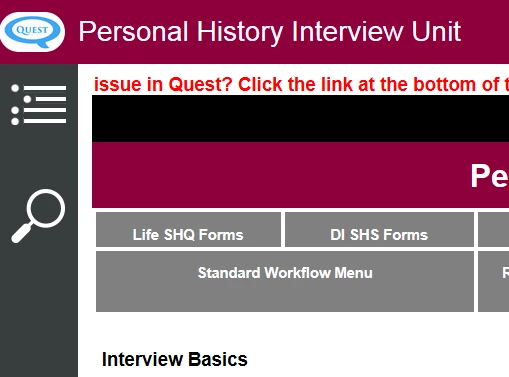
I created an output on my laptop (15 in monitor), and on that screen it looks as intended, with the TOC displaying on the left and the search bar on the top right. I expect, since it is responsive, that on a smaller screen, the TOC and search will shift according to the size of the screen.  But when I look at it on a larger desktop monitor, the TOC is permanently minimized and the search icon is on the left.  It looks as it would if I were viewing on a tablet.  Is there a way to fix this?  On a desktop monitor, I need the TOC to display and the search box to remain at the top of the screen. Display results are the same in Chrome and IE11

On my laptop:
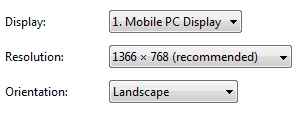
laptop screen resolution settings:
On my desktop:
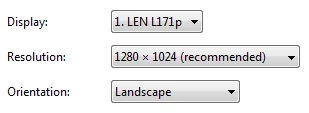
Desktop monitor screen resolution settings:
This topic has been closed for replies.

2 replies

Known Participant
January 11, 2016

Note that there is no detection whether the output is displayed on a tablet or a desktop computer. Instead, the desktop/tablet/mobile view is simply chosen by the size of the browser window. Rezise the window in your desktop browser and your layout will change. A shrinked desktop browser window is a "tablet", and a high-res tablet is a "desktop". It's not the best solution, but it's the only solution RoboHelp offers natively.

That also means if you lower the tablet max width setting, the output will display in the "desktop" layout on most tablets.

Captiv8r
Legend
January 7, 2016

Hi there

Apologies, as my crystal ball seems to be broken and my psychic skills are sub-par.

What version of RoboHelp are you using?

Cheers... Rick

January 7, 2016

Sorry - RH 11

Captiv8r
Legend
January 7, 2016

Well, I'm not the resident "Responsive GURU" here. That would be Willam. But until he chimes in (and hopefully he will) I'll say that it would appear that you need to slightly adjust the breakpoint value for the desktop. Willam will certainly be able to tell you exactly how to do that.

Since you are using version 11, I'm at a loss to tell you exactly where to look. But if you were using RoboHelp (2015 Release) I believe the option is there that allows you to more easily control the breakpoint values.

Cheers... Rick