Known Participant
June 2, 2021
Question

I need help with a few things.

  • June 2, 2021
  • 8 replies
  • 308 views

I created a Responsive HTML project in Robohelp 2019. It looks pretty good, but I would like assistance with a few questions. 


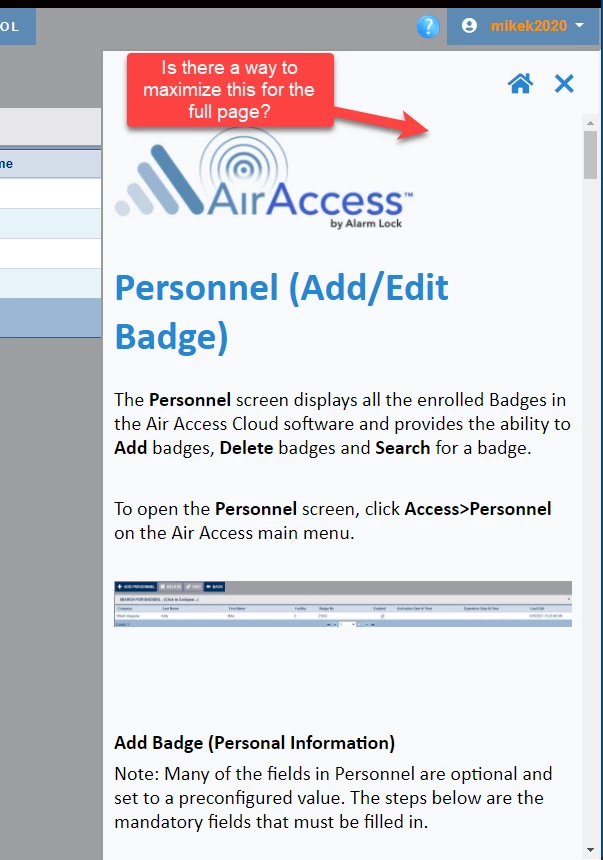
1) When my online help displays in the Application, it is only about 1/4 of the screen on the right. I am not able to expand it to a full page. Is this normal, or is there a settings I can build it with?


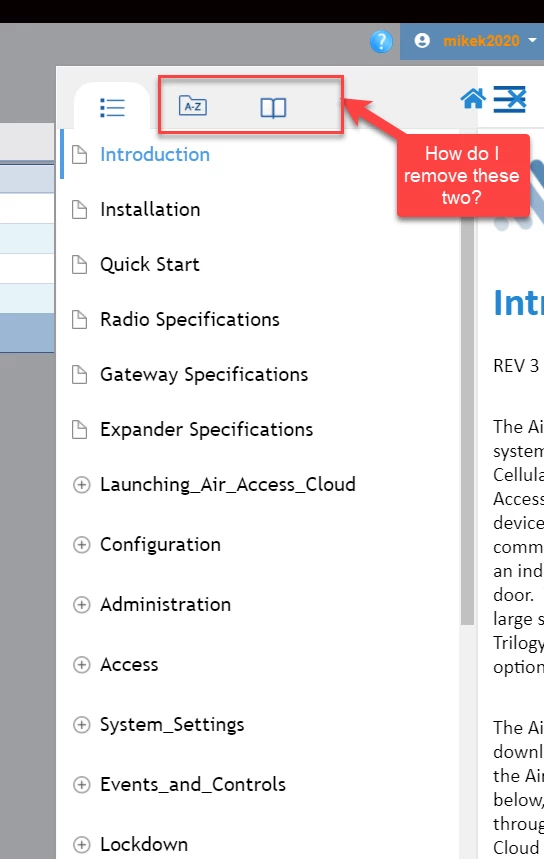
2) How do I remove the Index and the glossary Icon when I am displaying my online help in the application?


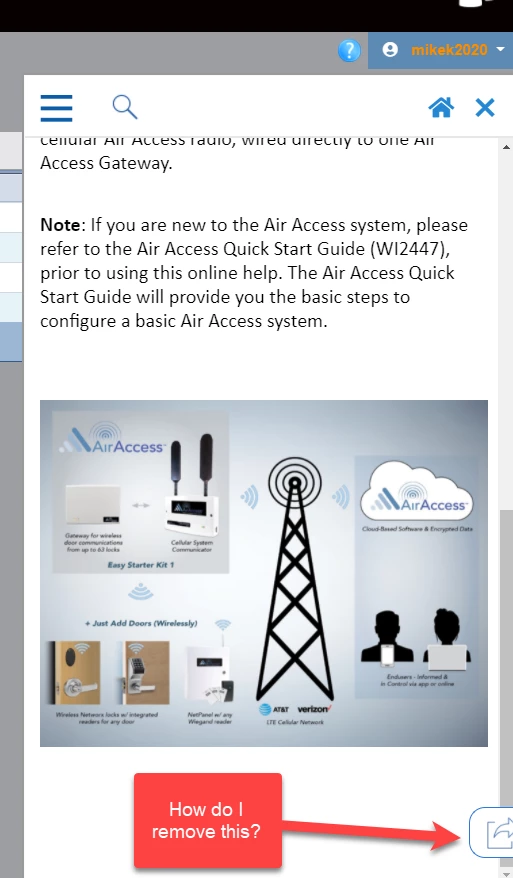
3) I have an arrow displaying on the bottom of the help screen. When I click it, the word "Tweet" displays. 


Please see the 3 screenshots below (one for each question). Thank you in advance for your help.
 

    This topic has been closed for replies.

    8 replies

    mkelly735Author
    Known Participant
    June 4, 2021

    Thank you all for the replies. This project is almost complete, so it's obvious that I have a lot to learn regarding skins. I will  create some test projects to get familiar with the skins and the skins customization settings. 

    Peter Grainge
    Community Expert
    Community Expert
    June 4, 2021

    If you are in the early stages of developing this project, it might be worth considering a frameless skin. There are many more customisation options and going forward this is where Adobe will be putting more into development.

    ________________________________________________________
    See www.grainge.org for free Authoring and RoboHelp Information

    Use the menu (bottom right) to mark the Best Answer or Highlight particularly useful replies. Found the answer elsewhere? Share it here.
    Community Expert
    June 3, 2021

    If you don't select a skin I think it uses Azure Blue. But you can't customise it then. So add the Azure Blue skin and then you should be able to customise the settings.


    If you don't use an index and glossary, you can also turn those off in the skin. (If you just want to hide them when called from the application, there's no way to do that through Robohelp. Perhaps it's possible using a custom css file added to the User Assets section in the skin. You'll need to inspect the output using the browser developer tools to figure out if it's possible. )

    mkelly735Author
    Known Participant
    June 3, 2021

    Peter - There is nothing set under skins. What is the default? It must be that one. 

    mkelly735Author
    Known Participant
    June 3, 2021

    Peter - It is the new UI.

    Community Expert
    June 3, 2021

    For the tweet icon, that should be in the skin in the Social Media section (assuming Azure Blue skin). If you don't want them, make sure Use Facebook and Use Twitter are turned off.

    Community Expert
    June 3, 2021

    Regarding the size of the window, assuming it's called from a button in your application, the window size and features would be controlled by how your developers programed the help call. You'll need to talk to them to change it.

    mkelly735Author
    Known Participant
    June 3, 2021

    I will talk to the developers. Thank you very much for the reply.

    Peter Grainge
    Community Expert
    Community Expert
    June 2, 2021

    2019 Classic or New UI?


    Which skin?

    ________________________________________________________
    See www.grainge.org for free Authoring and RoboHelp Information

    Use the menu (bottom right) to mark the Best Answer or Highlight particularly useful replies. Found the answer elsewhere? Share it here.