
Inspiring
January 21, 2014
Question

Iam unable to get merged help to work in Multiscreen HTML5 Help

  • January 21, 2014
  • 1 reply
  • 881 views

I have just started to try out the RoboHelp 10 Multiscreen HTML5 format and have found a problem with merged projects.

I carry out the usual procedure for merged projects by adding each child project to the TOC of the parent project then generate and publish each one.

Upon viewing the published help system, the parent project is correct with the TOC showing the child topics.
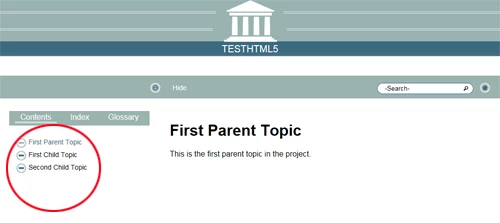
However, upon clicking on a child topic in the TOC the child topic will open but shows as a standalone project, i.e. the TOC/Index etc no longer shows the whole merged project.
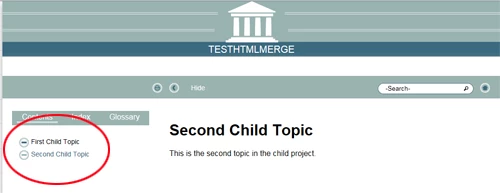
I am using the same screen layout for all projects and have tried using various other default RoboHelp screen layouts, all without success.

I can publish the exact same project using WebHelp and everything works perfectly.

Is there an extra step somewhere for Multiscreen HTML5?

Chris

This topic has been closed for replies.

1 reply

Peter Grainge
Community Expert
Community Expert
January 21, 2014

Merged help is not viable with HTML5 in Rh10 or 11. I am nagging Adobe to make it work in Rh12 but clearly that is a long way off.

Please follow this link.

http://www.Adobe.com/cfusion/mmform/index.cfm?name=wishform&product=38


See www.grainge.org for RoboHelp and Authoring tips

@petergrainge

Use the menu (bottom right) to mark the Best Answer or Highlight particularly useful replies. Found the answer elsewhere? Share it here.
Willam van Weelden
Inspiring
January 21, 2014

Such harsh words Peter

Merged help works quite different in HTML5 than WebHelp.

I described the process of merging HTML5 on:

https://www.wvanweelden.eu/blog/2012/12/27/merging-multiscreen-html5-help

Kind regards,

Willam

Peter Grainge
Community Expert
Community Expert
January 21, 2014

I had issues with that but will give it another go as I cannot recall what they were now.


See www.grainge.org for RoboHelp and Authoring tips

@petergrainge

Use the menu (bottom right) to mark the Best Answer or Highlight particularly useful replies. Found the answer elsewhere? Share it here.