

November 22, 2010
Question

image name pop-up in internet explorer.

  • November 22, 2010
  • 4 replies
  • 5509 views

robbohelp html 8: webhelp

Hello,

How can I stop the name of the image from being displayed in internet explorer?
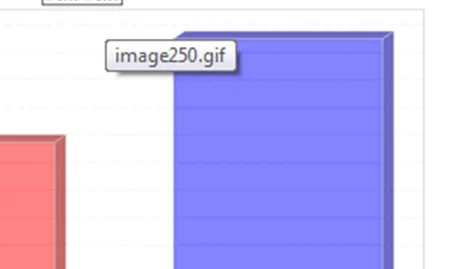
I don't want this to happen on every image in my help file

Thanks,

Stephen

This topic has been closed for replies.

4 replies

Peter Grainge
Community Expert
Community Expert
May 23, 2023

This is a 13 year old thread. Pro version? 

________________________________________________________
My site www.grainge.org includes many free Authoring and RoboHelp resources that may be of help.


Use menu (bottom right) to mark as Best Answer or to Highlight particularly useful replies. Found the answer elsewhere? Share it here.
Participant
May 23, 2023

I had the same issue.  With Pro, go to the accessibility tool and then click on alternate text.  You can navigate through all the images at once and change what is displayed.

November 23, 2010

It seems to be related to the alt image tag, which, as I understand it, should only appear if the image does not. Is there some way to turn this off by default and have only screen tip info appear, if entered? So, no pop-up unless I specifically enter text in the screen tip field of the image dialog.

MergeThis
Inspiring
November 23, 2010

Pasting images is usually bad news. Insert them instead (that ensures that RH officially endorses their place in the project). Seems silly, I know, but it is what it is.

Good luck,

Leon

Captiv8r
Legend
November 23, 2010

Hi all

I agree with Leon in his admonishment that you seldom (if ever) want to paste images.

However, I'm not just posting to say "me too". I'm posting to suggest that it's probably not RoboHelp that is at fault here. It is likely the way whatever is creating the PDF is doing.

Hmmm, in typing that reply I *DID* actually think of one thing you might check. When you create Printed Docs from RoboHelp you have a choice as to how Images are handled. You may choose to embed them in Word documents. I believe that's the default setting. You may also elect to link them if you like. So I'm wondering if maybe you selected the link option? And if so, perhaps that explains it. Maybe if you link, somehow the PDF creator utility is seeing the link location and using that?

Just some thinking out loud... Rick

Helpful and Handy Links

RoboHelp Wish Form/Bug Reporting Form

Begin learning RoboHelp HTML 7 or 8 moments from now - $24.95!

Adobe Certified RoboHelp HTML Training

SorcererStone Blog

RoboHelp eBooks

Participating Frequently
November 22, 2010

I was curious about your issue; I wasn't able to duplicate it using WebHelp generated by RoboHelp HTML Version 8 using IE 8.0.7600.16385. My project contained an image with a blank screen tip and one with text in it. Both images produced the expected results (i.e. no tooltip and the specified tooltip, respectively). I would suggest checking the Screen tip option in the Image dialog box for each image where you experience this issue.

Joe

Captiv8r
Legend
November 22, 2010

How are you inserting the images?

Knowing how they are inserted will help in sorting why the tooltip is appearing.

Cheers... Rick

Helpful and Handy Links

RoboHelp Wish Form/Bug Reporting Form

Begin learning RoboHelp HTML 7 or 8 moments from now - $24.95!

Adobe Certified RoboHelp HTML Training

SorcererStone Blog

RoboHelp eBooks

November 23, 2010

Thanks for the interest.

The images are mostly pasted into the help.

And to clarify, it does not happen when I run the help locally, only when I run it through the app on another machine.

Thanks again.