


Participant
May 27, 2022
Answered

Importing trasnlated xliff gets stuck

  • May 27, 2022
  • 3 replies
  • 235 views

Hello,


I’m trying to import xliff files from our translation partner and the import dialog/progress bar is stuck endlessly on “Importing”. 


I’ve tried copy-pasting parts of the translation <tartget> into a freshly exported xliff and that one gets imported without an issue in a second. I’ve check that both files have the same header and  encoding if that could be a problem.
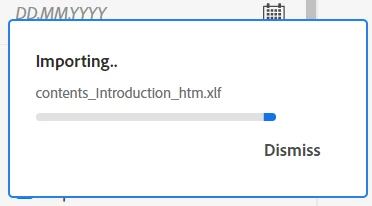
 

Did anyone encoutered this? Any ideas what I might try?

    This topic has been closed for replies.
    Correct answer Renáta232281253mx3

    I've found out the cause, for anyone in the future encountering this.


    In the translation file, some target segments were left empty. Which causes the RH import to hang. Removing them works as a solution.


    This blocks the import:

    <mrk mid="2" mtype="seg" data-trailing-spaces="1" />
    <mrk mid="2" mtype="seg" data-trailing-spaces="1"></mrk>


    3 replies

    Renáta232281253mx3AuthorCorrect answer
    Participant
    June 3, 2022

    I've found out the cause, for anyone in the future encountering this.


    In the translation file, some target segments were left empty. Which causes the RH import to hang. Removing them works as a solution.


    This blocks the import:

    <mrk mid="2" mtype="seg" data-trailing-spaces="1" />
    <mrk mid="2" mtype="seg" data-trailing-spaces="1"></mrk>


    Jeff_Coatsworth
    Community Expert
    Community Expert
    May 27, 2022

    What point version of RH are you running? Maybe you aren't patched up?

    Participant
    May 27, 2022

    I am currently using latest version of Robohelp (2020.7.0).

    Peter Grainge
    Community Expert
    Community Expert
    May 27, 2022

    I haven't seen anyone report this issue so I can only suggest you contact Support. See https://helpx.adobe.com/contact/enterprise-support.other.html#robohelp for your Adobe Support options. The email link tcssup@adobe.com is recommended as it reaches a team dedicated to Technical Communication Suite products including RoboHelp. 


    It would be helpful if when this is resolved you could come back and post the cause.

    ________________________________________________________

    My site www.grainge.org includes many free Authoring and RoboHelp resources that may be of help.


    Use the menu (bottom right) to mark the Best Answer or Highlight particularly useful replies. Found the answer elsewhere? Share it here.