
Importing Word 2010 - Style and Image Problems
This week we upgraded to Word 2010. I don't know if anyone else experienced this problem, but if you use shapes you may be in trouble if you import documents into Robohelp.
Apparently Microsoft changed the shapes with this version. If you look at the two images below, the top shape is a Word 2007 shape, and the bottom shape is a Word 2010 shape. Notice how ragged the new shape is - it's as if it's in a much lower resolution.

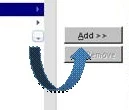
I did some testing and found out that the shape retains its clarity if you save it in Word as HTML, and then import it. For this reason it looks like Adobe is going to need to address how to import 2010 shapes without messing them up during the conversion process. In the meantime, that's the fix - unless anyone else has any thoughts.


 AdChoices