
Answered
In RH11, my merged .chm file does not show up in the master .chm file TOC.I
My merged slave .chm file is not showing up in the master .chm file after generation. Anyone seen this happen before?

My merged slave .chm file is not showing up in the master .chm file after generation. Anyone seen this happen before?
No problem. Just a bit more information as well.
I have found that when I generate a normal chm file, the merge works. But, when a do a webhelp to chm output, it does not. Also, this behavior is happening in 11 and 2015.
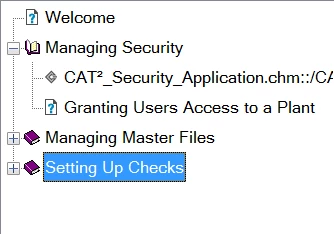
Here is the TOC in my master project:
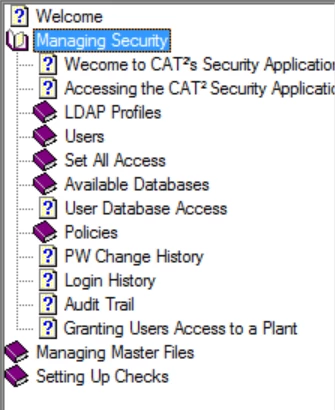
Here is the generated TOC from the CHM file if I use the normal Microsoft HTML Help output option.
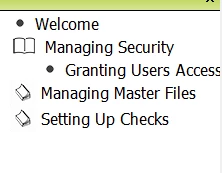
But, if I do the webhelp to chm output, the child chm file topics are missing:
Ahhh, a plot twist I see!
Yeah, there was a thread a day or three back where someone was trying something similar.
Click here to view that thread
Cheers... Rick 
Already have an account? Login
Enter your E-mail address. We'll send you an e-mail with instructions to reset your password.


 AdChoices