



Known Participant
June 20, 2023
Question

In Search of RH Log File in V2022.2.22

  • June 20, 2023
  • 5 replies
  • 900 views

I just updated from RH 2019 to RH2022.2.22

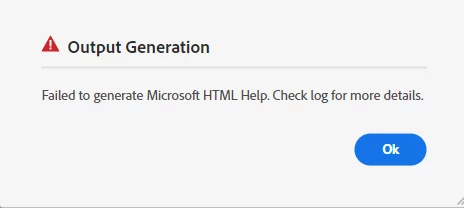
The first time I try to generate a Microsoft HTML Help file, I get a message to check the log file.

Where would the log file be located in this newer version?

The only discussion I see in the archives of this group is related to log files in previous RH versions.

Thank you for any help you can provide.
 

    This topic has been closed for replies.

    5 replies

    Known Participant
    June 23, 2023

    Thank you for your additional feedback.

    I was not able to find the a second log file. I did review (again) the log file available from Microsoft HTML Help->Edit.

    The error was not in the project, but in the generation.

    I went back to the Microsoft HTML Help dialog box, removed the default from the Output Path, and selected the Save output path as relative to project dialog box. That worked.


    Community Expert
    June 23, 2023

    For RH2019 I found a folder directly under Roaming called "Adobe Robohelp 2019" which contains a folder called "Logs". It's currently empty but I'm also not having any issues requiring a log file, so you could look for a similar directory.

    Known Participant
    June 22, 2023

    Jeff and Amebr----Thank you for your responses.


    Jeff, I find the AppData folder on the cloud. I run RoboHelp on my hard drive for best performance.
    From what I can see these four subfolders on the cloud are all empty. Please see attached image.


    Amebr, I am able to View Log. The error message at the end of the log sends me to the same log as the Output Generation dialog box in the original message. Please see attached image.


    Thank you for any continuing help you can provide.


    Jeff_Coatsworth
    Community Expert
    Community Expert
    June 22, 2023

    Appdata is local - you just look like you've got it synched with some online service like OneDrive. I'd be looking into something in Appdata relating to Adobe Robohelp - it would probably be in there.
    Have you ever generated CHM output with this project? Did you create a new preset for it? Does it work if you try it with the sample project?

    Community Expert
    June 20, 2023

    Right-click on the output preset and select View Log.


    There may also be another log hidden in a folder somewhere as Jeff suggests

    Jeff_Coatsworth
    Community Expert
    Community Expert
    June 20, 2023

    I suspect it's hiding in one of those hidden Appdata sub-folders.