


Question
Inconsistent table-border weights in RoboHelp 2019 (new UI)
Anyone have any idea what's going on here? Whenever I import a document into my RoboHelp project, the tables look fine while I am editing them.
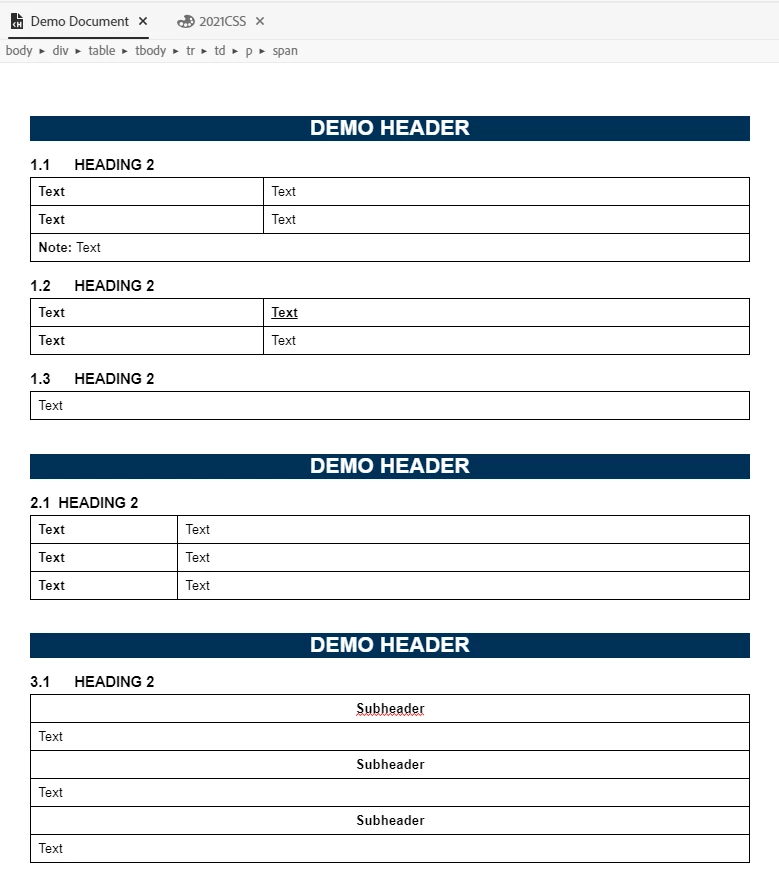
However, when I generate my project (Responsive HTML5), the table-border weights are inconsistent. Sometimes they're heavier, and sometimes they're the right weight (0.5 pt).
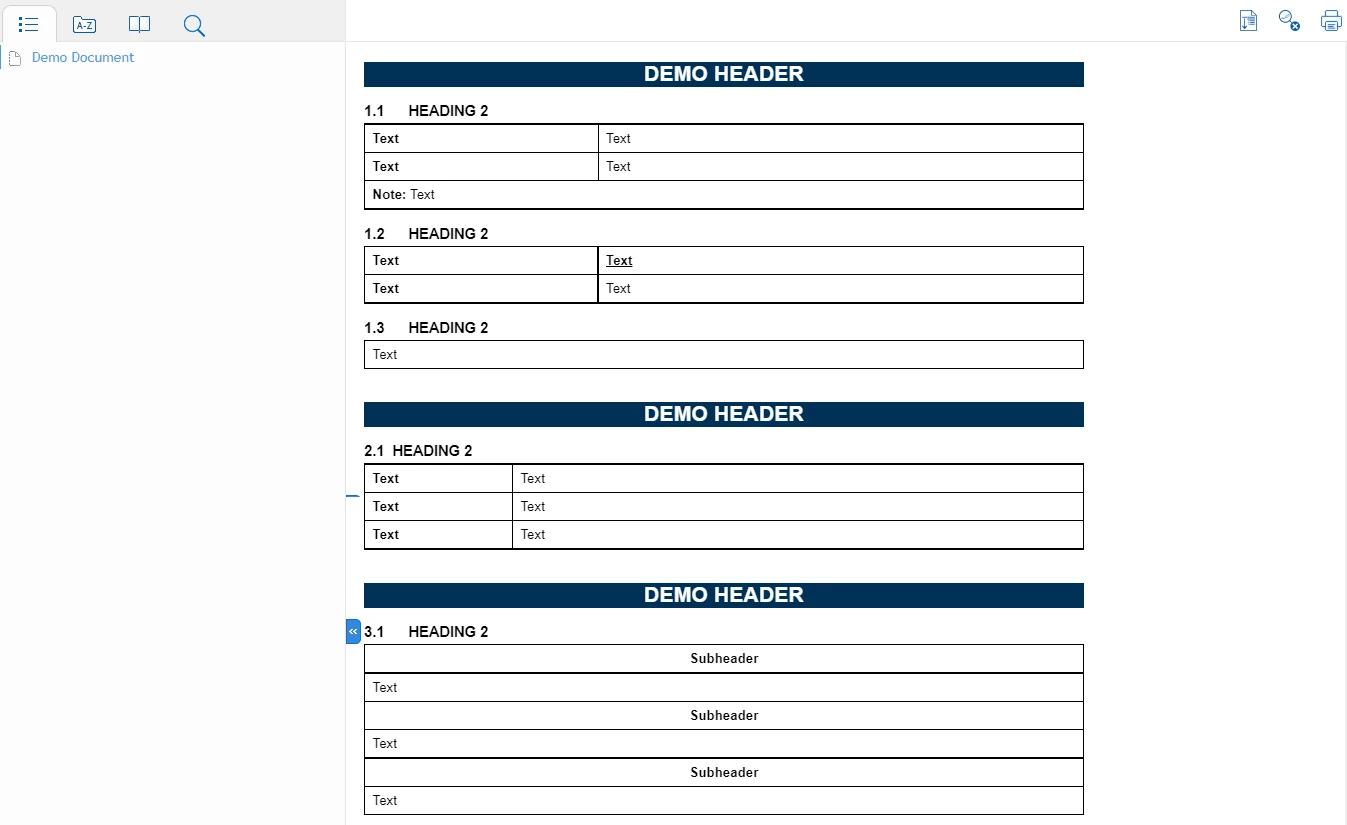
I've been playing around with my CSS for a long time in an attempt to figure out what's going on. My best guess is that something's happening when I import the document—maybe there's an underlying style hidden in Word that I can't find.
One last note of interest—the tables look okay in Internet Explorer. The weight changes appear in Chrome and Edge.
 AdChoices