



"Index" seems to have to different functions?
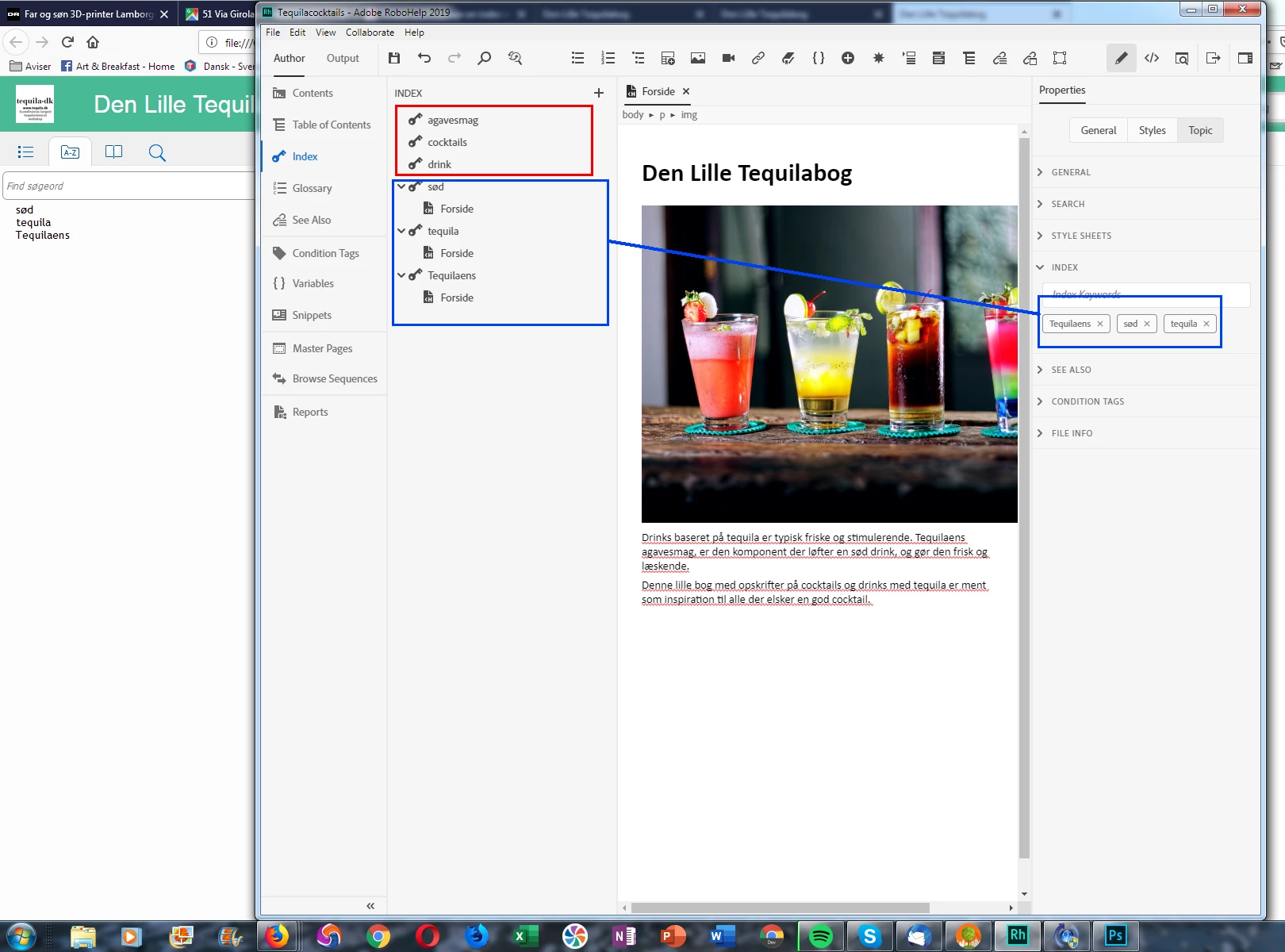
I have trouble understanding how "Index" works in RoboHelp 2019.
Index can be accessed
1: as a panel on the left and
2: as a dropdow under Topics Properties.
When I open a topic and copy-paste a word into the index panel on the left side and an add it to the Index it appears with a keyword icon. Now - according to the User Manual this new index word is supposed to also appear in the Topics Properties on the right side. Only it does not.
IF I use Topics Properties and the Index dropdown to add my index words, my Index words appear correctly in the index on the left with an icon and a link to the topic.
When I publish to html5, only the index word which have a link to a topic comes along to the index pane i HTML5. The words I put in the index on the left are gone. They do not even appear when searching the index in HTML5.
This seems like an inconsistency to me. I suppose there is a deeper meaning but I can't figure out what that is. Also I wonder why it is not possible to right click a word and add it to Index. It seems unecessary to copy paste it into a index window?
Have I misunderstood everything here?


 AdChoices