I would be interested to learn how you resolved this. Trying to help someone with another issue I found something that resolved the problem, albeit I haven't yet ascertained why.
Use the menu (bottom right) to mark the Best Answer or Highlight particularly useful replies. Found the answer elsewhere? Share it here.
It is not my intention to reply from another discussion
I am not clear why you refer to "another discussion" as all I am talking about is the blue button after the first post of the page you are looking at in this thread. It could be the first post in page 3. Not to worry.
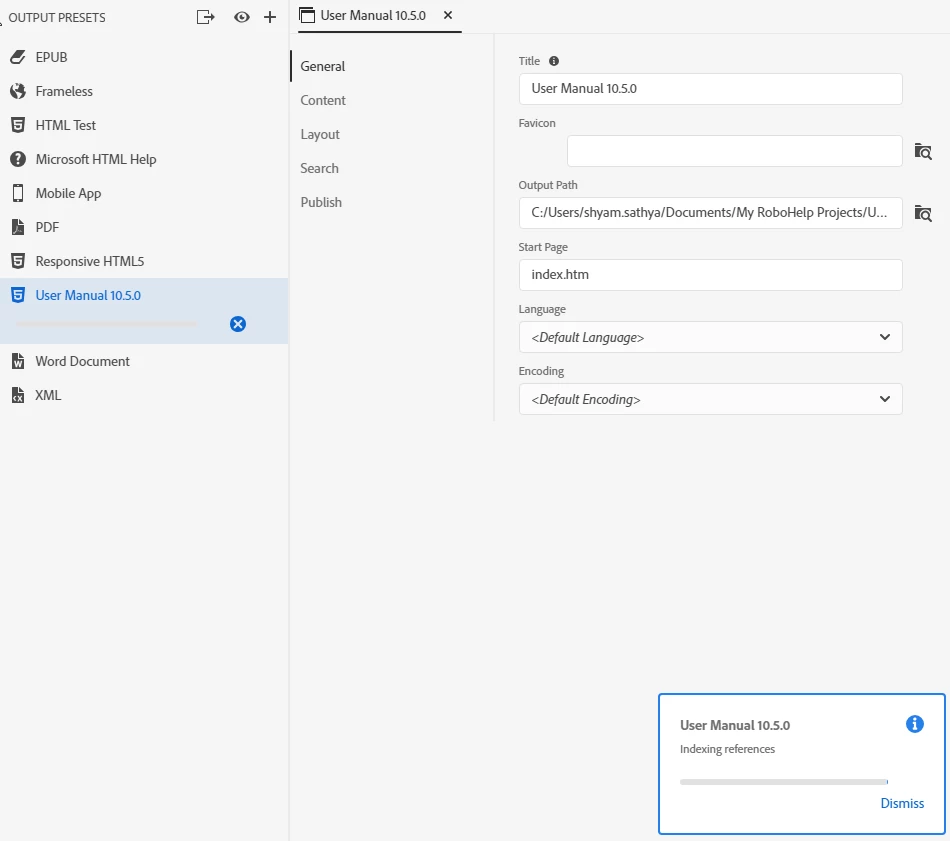
When you referred to cross references I was thinking of cross references in an index. With your screenshot I see you are talking about hyperlinks to other topics in the project. As you had only added a few, whilst the bigger the project, the more time it will take to generate, it should not be the sort of difference that brings you here. How long is it taking?
It might be worth trying to generate to a folder nearer the root of the drive. Try something like C:\RoboHelpOutput
If that doesn't help, please either describe the steps to create the link in detail or add some screenshots.
This hasn't been a problem generally with 2019, hence the difficulty in saying precisely what is causing it.
Use the menu (bottom right) to mark the Best Answer or Highlight particularly useful replies. Found the answer elsewhere? Share it here.
First, please reply via the web page and use the first blue button at the top of the page to reply. Unless you do that the posts get out of date/time order and it is making it difficult for anyone trying to help you.
The easiest way to get out of this situation depends on whether you have done much work in the New UI version. If you have not, then maybe go back to your Classic version where it was working and upgrade again.
Can you share the project? If you can, then see the Contact page on my site and send the project as instructed there. Do make sure you include a link to this thread and please do not email the project direct. Also include full details of how you were creating those cross references. You can email that information separately.
I will take a look but can't guarantee finding the answer.
Use the menu (bottom right) to mark the Best Answer or Highlight particularly useful replies. Found the answer elsewhere? Share it here.
It is not my intention to reply from another discussion. when i tried it was not working Blue Button. so i have used the working one. I ll keep a note for the same.
Yes, I have used the RH 2019 Version. I never used the classic version to do index references.
The project file contains 900+ pages major part is Date Field Descriptions (Tables). PFA, for the way I have given cross-reference.
After removing the Cross References wherever I gave. Still, the problem is exists. Can you guide me how to find? like which topics those errors exist still.
Was the "previous version" also with 2019 New UI or an earlier version of RoboHelp. Clearly cross indexing is an issue in your project but whether changing the version of RoboHelp also an issue has to be considered.
Have you set up the cross references as shown in the RoboHelp Reimagined sample project?
Use the menu (bottom right) to mark the Best Answer or Highlight particularly useful replies. Found the answer elsewhere? Share it here.
You said "It takes more time to generate an output. Previous, It was not like that. "
You are comparing the time now to something previously. When was it quicker? In an earlier version maybe? Before you made some change? Jeff is asking with what you are comparing the time it takes now.
Is it a large index?
Use the menu (bottom right) to mark the Best Answer or Highlight particularly useful replies. Found the answer elsewhere? Share it here.
Tell us what program you are using and someone will be along to move you to the appropriate forum.
Note that the Community Help forum is for help in how to use the Adobe Communities. Product questions should be posted in the associated product community.