
Inspiring
June 7, 2017
Answered

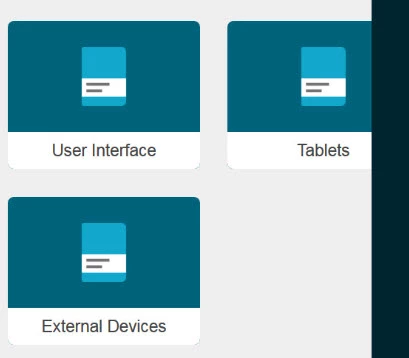
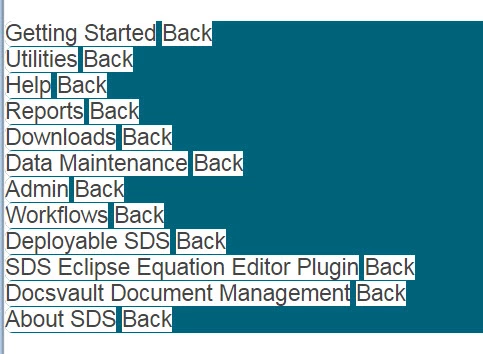
Indigo layout no longer displays toc book and topic images

  • June 7, 2017
  • 1 reply
  • 756 views

I just updated RoboHelp to release 13.0.1.279 and regenerated my output without making any changes, and it no longer displays the book and topic images on the landing pages. The text is now all shoved to the left hand side. Tested in both chrome and firefox. Please help!
This topic has been closed for replies.
Correct answer Peter Grainge

First make a copy of this project before going any further.

Then delete the layout and import it afresh. Also try other layouts. That

will help pinpoint where the problem is.

1 reply

Peter Grainge
Community Expert
Community Expert
June 8, 2017

Try deleting the CPD file and reopening the project first. Doubt that's it but always worth a try.

Then trash the content of the output folder and try again.

Are you generating to the same drive as the project is on?


See www.grainge.org for RoboHelp and Authoring information

@petergrainge

Use the menu (bottom right) to mark the Best Answer or Highlight particularly useful replies. Found the answer elsewhere? Share it here.
LDillAuthor
Inspiring
June 8, 2017

Peter, Thank you for the feedback. I tried both of your suggestions, but neither worked. I am generating output to the same drive that the project is on - my hard drive. I was thinking of rolling back my version of robohelp, as all worked fine before the update, and there were no other changes to my project.

Peter Grainge
Community Expert
Peter GraingeCommunity ExpertCorrect answer
Community Expert
June 8, 2017

First make a copy of this project before going any further.

Then delete the layout and import it afresh. Also try other layouts. That

will help pinpoint where the problem is.

Use the menu (bottom right) to mark the Best Answer or Highlight particularly useful replies. Found the answer elsewhere? Share it here.