
Participant
September 7, 2018
Answered

Indigo layout - SCSS question - Trying to modify overlays.scss file

  • September 7, 2018
  • 1 reply
  • 613 views

Hello team,

I am trying to modify the look of the overlays (Glossary, Favorites, etc;) in the Indigo layout, but cannot figure out where to compile the files to (or even how to compile the files).

Can someone help?

PS -HUGE thanks to this group. I have actively been following your posts, and suggestions, and have learned so much. Look what I have done so far! (now on to the topic pages).
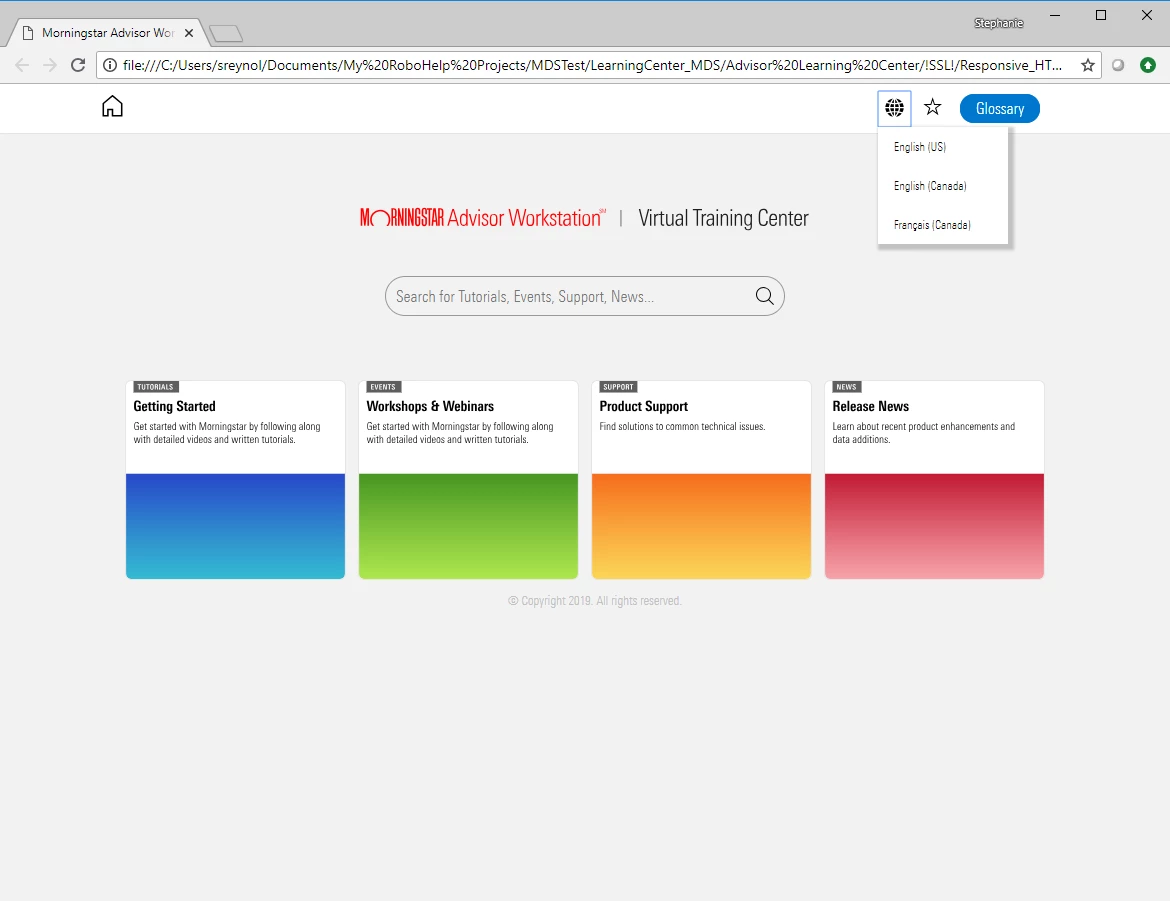
This topic has been closed for replies.
Correct answer SReynolds2138

I don't have the tool at the moment, but the koala help says by default it should generate into the same directory as the file. But you should be able to change it easily with right-click.

Docs · oklai/koala Wiki · GitHub


I actually figured this one out on my own. I did not realize that the compile process would read the modifications to the _overlay.scss file. Everything worked out great!

1 reply

Community Expert
September 10, 2018

You'll need to use Koala or a similar sass/scss compiler to generate a css from your scss.

There's a webinar available here (or should be) which runs through scss and setting it up for RH:

Home - Adobe Events

Participant
September 10, 2018

Koala would not recognize the overlays doc. BUT I just removed the _ that proceeds the file name, and it now recognizes the file

Now, the second part of my question - where do I set the output path? I cannot seem to locate the css sheet that this builds.

Community Expert
September 11, 2018

I don't have the tool at the moment, but the koala help says by default it should generate into the same directory as the file. But you should be able to change it easily with right-click.

Docs · oklai/koala Wiki · GitHub