


davidg802
Participant
July 9, 2018
Answered

Is there a way to word wrap long titles in TOC? (responsive html5 output)

  • July 9, 2018
  • 4 replies
  • 802 views

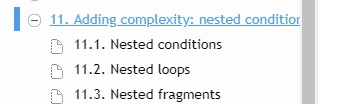
Is there a way to make Robohelp 2017 word wrap long titles in the TOC of responsive html 5 output?

Long titles are not shown correctly in my output, and I have to expand the TOC column to be able to read to full title.
This topic has been closed for replies.
Correct answer gc31

Hi,

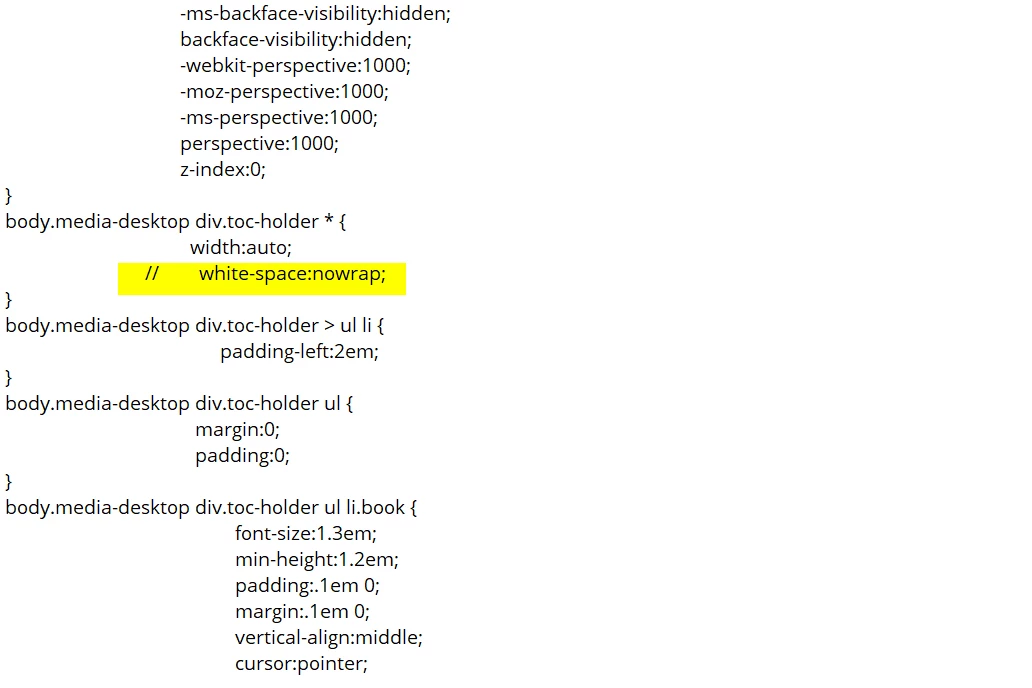
open the layout.css in Notepad. This is in the !ScreenLayout! and then Azure_Blue folder (or whatever layout you are using). You are looking for the following highlighted in the image below.

Comment the line out with // as shown below and regenerate help:

4 replies

Community Expert
August 30, 2022

Okay, for Responsive using Azure Blue or Charcoal Grey, to make this survive generating, you need to add a custom css file. Paste the following into the custom css file:


body.media-desktop div.toc-holder * {
	white-space: normal;
}

Then add the custom css file to your skin in Layout > User Assets.

Community Expert
August 29, 2022

Which output and skin are you using? The solution will be different depending on that answer.

Known Participant
August 30, 2022

Hello there, 

I'm using an HTML5 Output along with the Charcoal Grey Skin.

I was able to locate this in my output folder. I selected the 'Output > template > skin name > layout.css'.

Known Participant
August 29, 2022

Would anyone know where to find this for RoboHelp 2020?

Jeff_Coatsworth
Community Expert
Community Expert
August 29, 2022

Did you check in your output files for that text in the css?

Known Participant
August 29, 2022

I'm not seeing the !ScreenLayout! or layout.css specifically. I didn't know if it was worded differently for the .rhpj project type that the newer versions of RoboHelp utilize.

gc31Correct answer
Inspiring
July 9, 2018

Hi,

open the layout.css in Notepad. This is in the !ScreenLayout! and then Azure_Blue folder (or whatever layout you are using). You are looking for the following highlighted in the image below.

Comment the line out with // as shown below and regenerate help:

davidg802
davidg802Author
Participant
July 9, 2018

Thanks a lot! It worked.