
Participant
December 2, 2020
Question

Issue with master page creating extra paragraphs

  • December 2, 2020
  • 3 replies
  • 161 views

I have a master page set up from robohelp. As you can see below there are extra blank paragraphs before the main header can be entered:
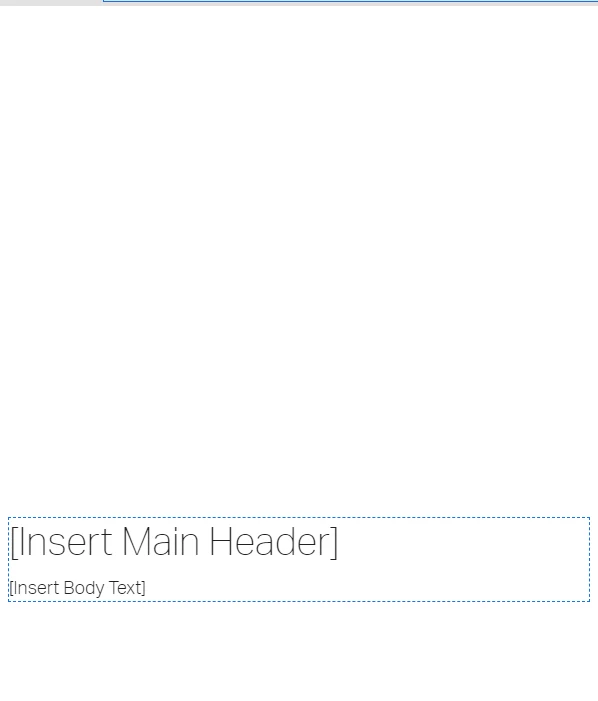
I'm not sure how to get rid of this. I've tried to remove <p>and </br> from html and it just creates more blank spaces.. 
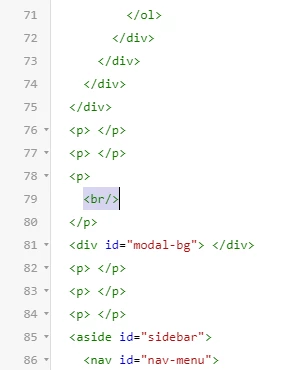


Could anyone help me how to do this?


Thank you!


Steve

    This topic has been closed for replies.

    3 replies

    Peter Grainge
    Community Expert
    Community Expert
    December 2, 2020

    Where is this spacing in the master page? If it is below the header then any topic created gets that spacing added. The topics will need cleaing up. You could try F&R but in this case I would recommend a manual clean up.


    Check a few topics first to see if that is it.


    Perhaps adding a screenshot of the master page would help. Use the photo icon so that it appears in the post, not as an attachment.

    ________________________________________________________
    See www.grainge.org for free Authoring and RoboHelp Information


    Use the menu (bottom right) to mark the Best Answer or Highlight particularly useful replies. Found the answer elsewhere? Share it here.
    Steve5C44Author
    Participant
    December 2, 2020

    Thank you for the reply. I did delete the paragraphs in author view in master page. But when i publish, i continue to see this extra padding for my contents. 


    Peter Grainge
    Community Expert
    Community Expert
    December 2, 2020

    Is it not showing in Author view? If it is just delete it. If it isn't, create a duplicate of it as a backup and delete the unwanted space in the code.


    Use the menu (bottom right) to mark the Best Answer or Highlight particularly useful replies. Found the answer elsewhere? Share it here.