


Inspiring
May 18, 2022
Answered

Issue with <pre> tags in RH2017

  • May 18, 2022
  • 3 replies
  • 296 views

I'm having an issue using the <pre></pre> tags in RH2017.

We have code snippets in our help topics that use multiple spaces to indent and align the code. In our language translation application, these spaces get stripped out causing the code to be one continuous line and loses all this whitespace formatting.

After some testing it was found that by using the pre tags such as in the snippet of code below, the language translation software is able to process the lines of code without stripping out the whitespace.

One issue I'm facing is when I apply the <pre> tags over the entire code snippet which, in this case, are contained within <div> tags:
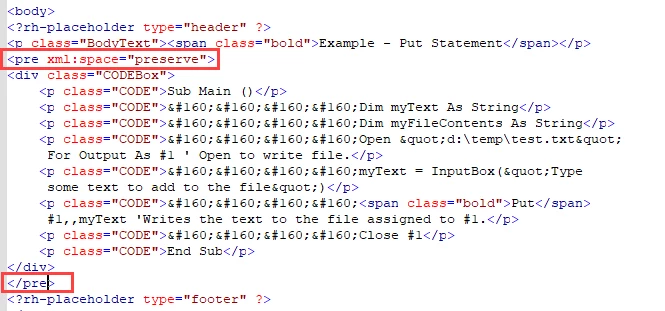
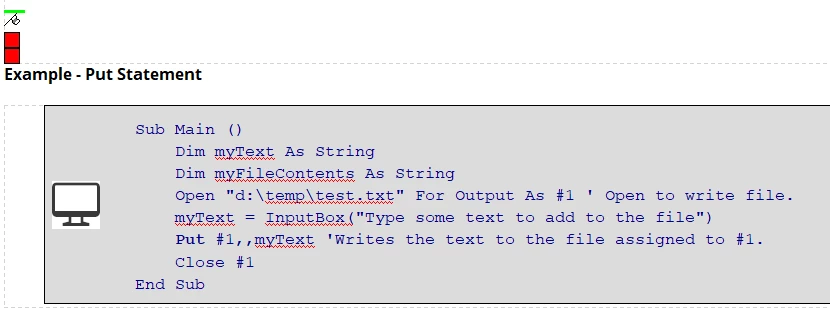
It looks fine in the RoboHelp Design view:
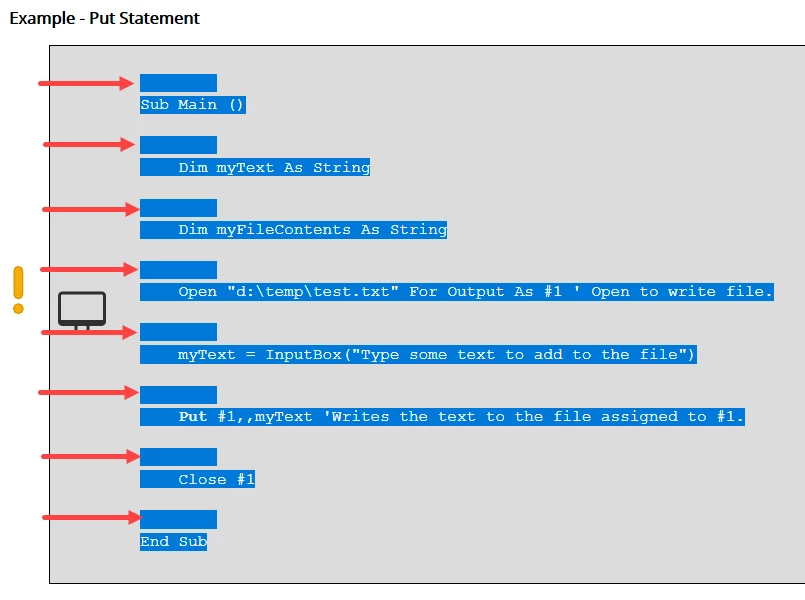
But in RoboHelp Preview view (Ctrl+W) or when I publish the topic, RH for some reason inserts a blank line after each line in the code. Here's what it looks like after I drag my mouse over the lines of code in the browser to show the blank lines:
If I apply the <pre> tags just over the lines of code that have the whitespace I need to preserve:
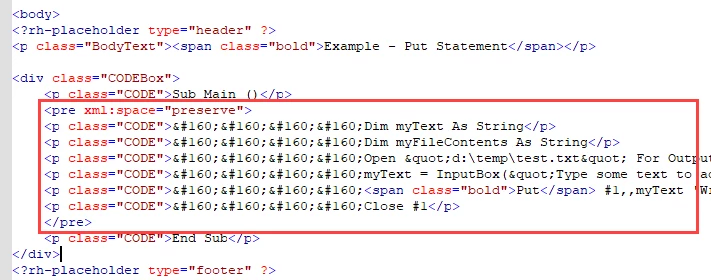
In Design view, when I select the lines of code, you can see that RoboHelp has added lines of whitespace after each line of code for some reason which also show up in Preview view as well as when I publish the topic:
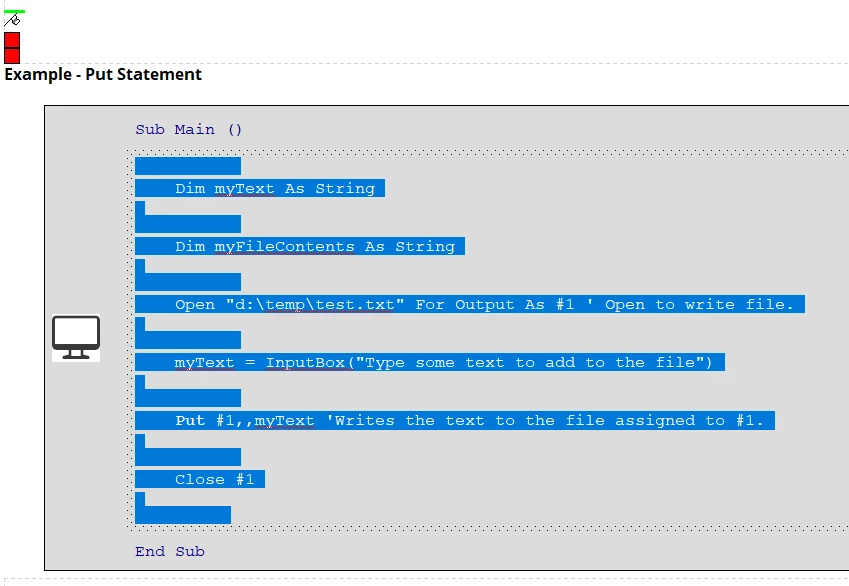
We have many topics that have code snippets I need to apply some technique to preserve whitespace.

Am I using the <pre> tags incorrectly or is this an issue where RoboHelp will not play nice with this tag?

Is there another <pre> tag attribute that RoboHelp is ok with that I can use to get the results I'm looking for?

Is there another method I can use to get the same results with our translation software that RoboHelp is ok with?

As always, your help and guidance is greatly appreciated!

    This topic has been closed for replies.
    Correct answer Amebr

    I don't believe there should be any html inside the pre tag, just the code you want to display. Can you try that? 

    https://developer.mozilla.org/en-US/docs/Web/HTML/Element/pre


    Put the pre inside your div. Change the p.CODE to pre.CODE, or if that doesn't work, style the pre tag itself.

    3 replies

    AmebrCommunity ExpertCorrect answer
    Community Expert
    May 19, 2022

    I don't believe there should be any html inside the pre tag, just the code you want to display. Can you try that? 

    https://developer.mozilla.org/en-US/docs/Web/HTML/Element/pre


    Put the pre inside your div. Change the p.CODE to pre.CODE, or if that doesn't work, style the pre tag itself.

    SGRoehAuthor
    Inspiring
    May 19, 2022

    Wow - thanks @Amebr - that worked.

    I have no idea why I didn't try that but it seems to be the answer.

    Unfortunately it means I'll have to rework code snippets in many topics but it resolves a lot of post localization issues we've had to deal with.

    Community Expert
    May 20, 2022

    On the plus side, when you upgrade to New UI, the upgrade should be smoother for these bits of text 😛

    Peter Grainge
    Community Expert
    Community Expert
    May 18, 2022

    It's a long time since I have used this method but take a look here. Create an email from a text link


    The method was to insert a text box and tweak the HTML so that when the user clicked in the field the content was automatically added to their clipboard. Would that approach work for you? In the example I have pointed to, only some of the content would need to be translated, which could be an issue.


    Follow the link and then go to View Page Source.

    ________________________________________________________

    My site www.grainge.org includes many free Authoring and RoboHelp resources that may be of help.


    Use the menu (bottom right) to mark the Best Answer or Highlight particularly useful replies. Found the answer elsewhere? Share it here.
    SGRoehAuthor
    Inspiring
    May 18, 2022

    Thanks Peter - I will take a look.

    Jeff_Coatsworth
    Community Expert
    Community Expert
    May 18, 2022

    Firts, I'd check to make sure that you're running the last version of RH2017 that was patched. I would have thought that you wouldn't have wanted your code blocks translated at all & so would have used conditional text to exclude it from the process. I guess the other approach is to put the code blocks in as images - I've heard of that done before.